Add an instructor
-
In the office panel go to Settings → Instructors.
-
Click Add.
-
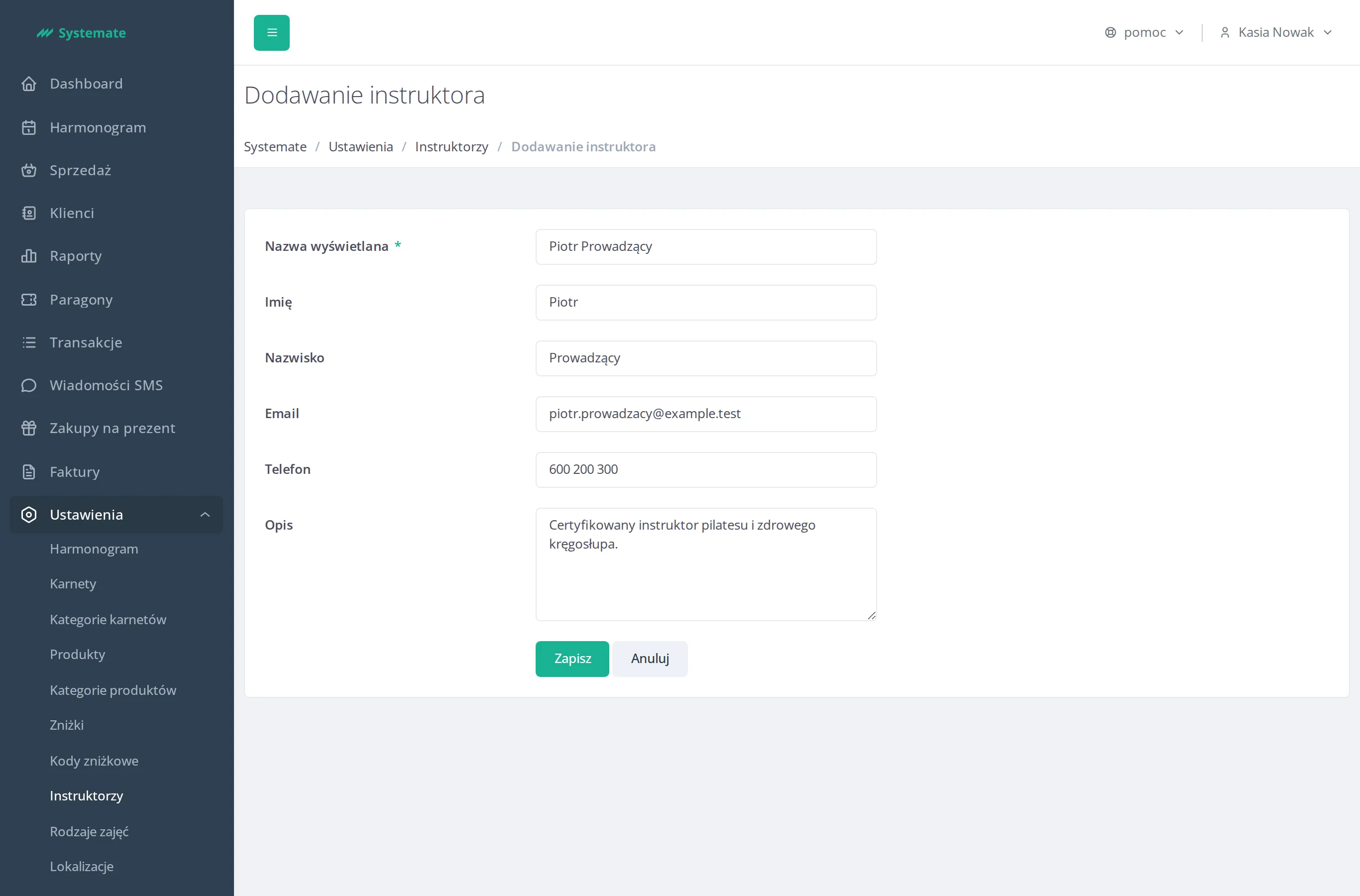
Fill in the form:
- Display name (required) — must be unique; this is the name shown on the schedule,
- First name and Last name (optional),
- Email and Phone (optional contact details),
- Description (optional).
-
Click Save.
The instructor can now be picked in the Instructor field when you add a class — see Add a class to the schedule. The Display name then appears on the class tile in the schedule views.