Milena checks her schedule before class
Milena Zawadzka teaches yoga and pilates at Studio Ruchu Flow. She doesn’t touch the offer or the pricing — the office panel is just her window onto the Schedule: what’s coming up, who’s signed up, and who’s waiting for a spot.
1. Milena opens the schedule
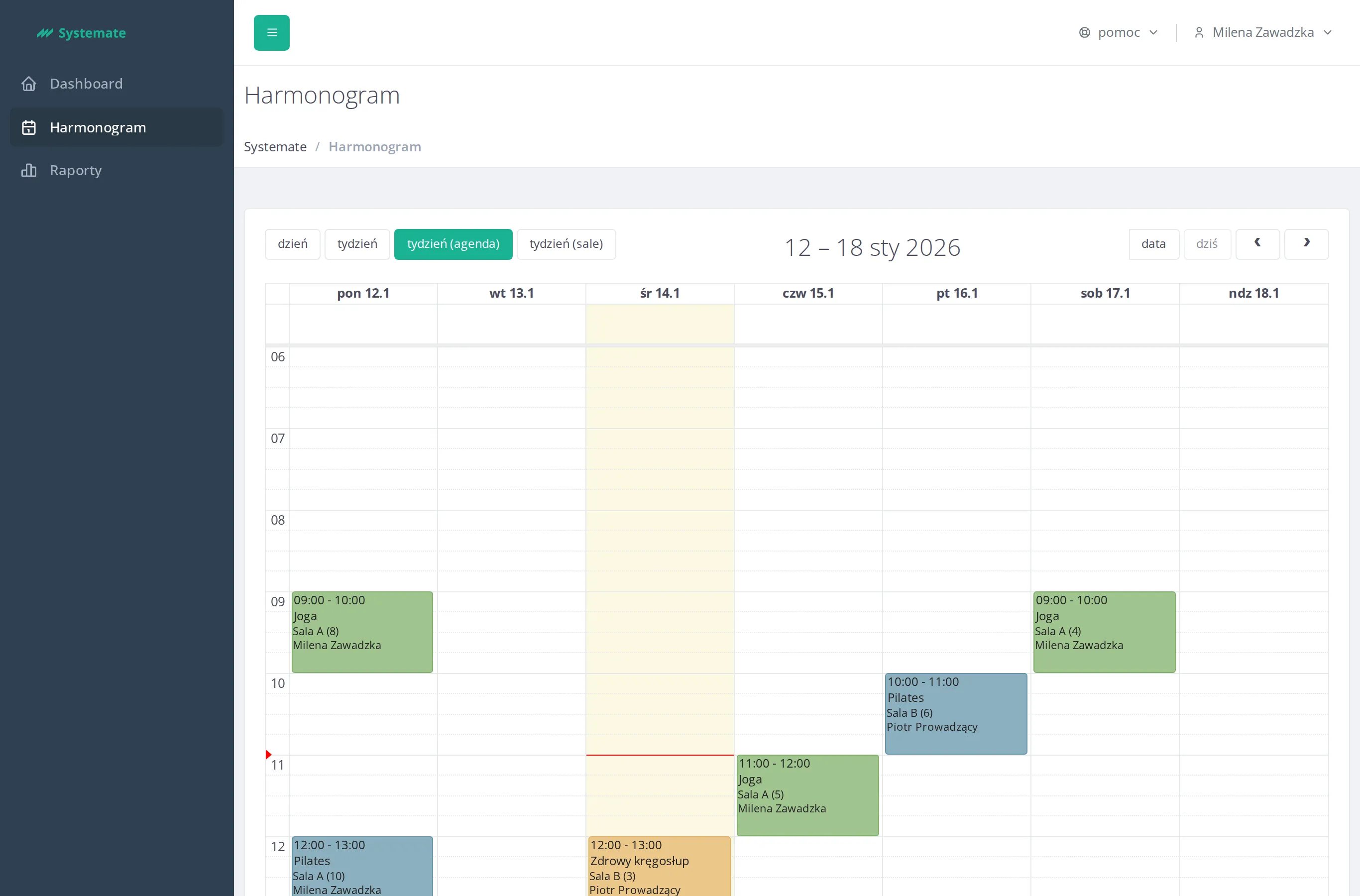
Section titled “1. Milena opens the schedule”Milena opens the office panel and goes to Schedule. The calendar shows every class at the studio, not only hers, so she switches to the week (agenda) view to see the whole week at a glance.
2. She finds her own classes
Section titled “2. She finds her own classes”There’s no filter to show only her classes — Milena scans the week and picks out hers by the instructor name printed on each class tile. Monday’s yoga at 9:00 is one of them.
3. Before class: who’s signed up
Section titled “3. Before class: who’s signed up”An hour before yoga starts, Milena clicks the class in the calendar. On the right, the Selected class panel lists everyone who signed up, so she knows roughly how many mats to set out.
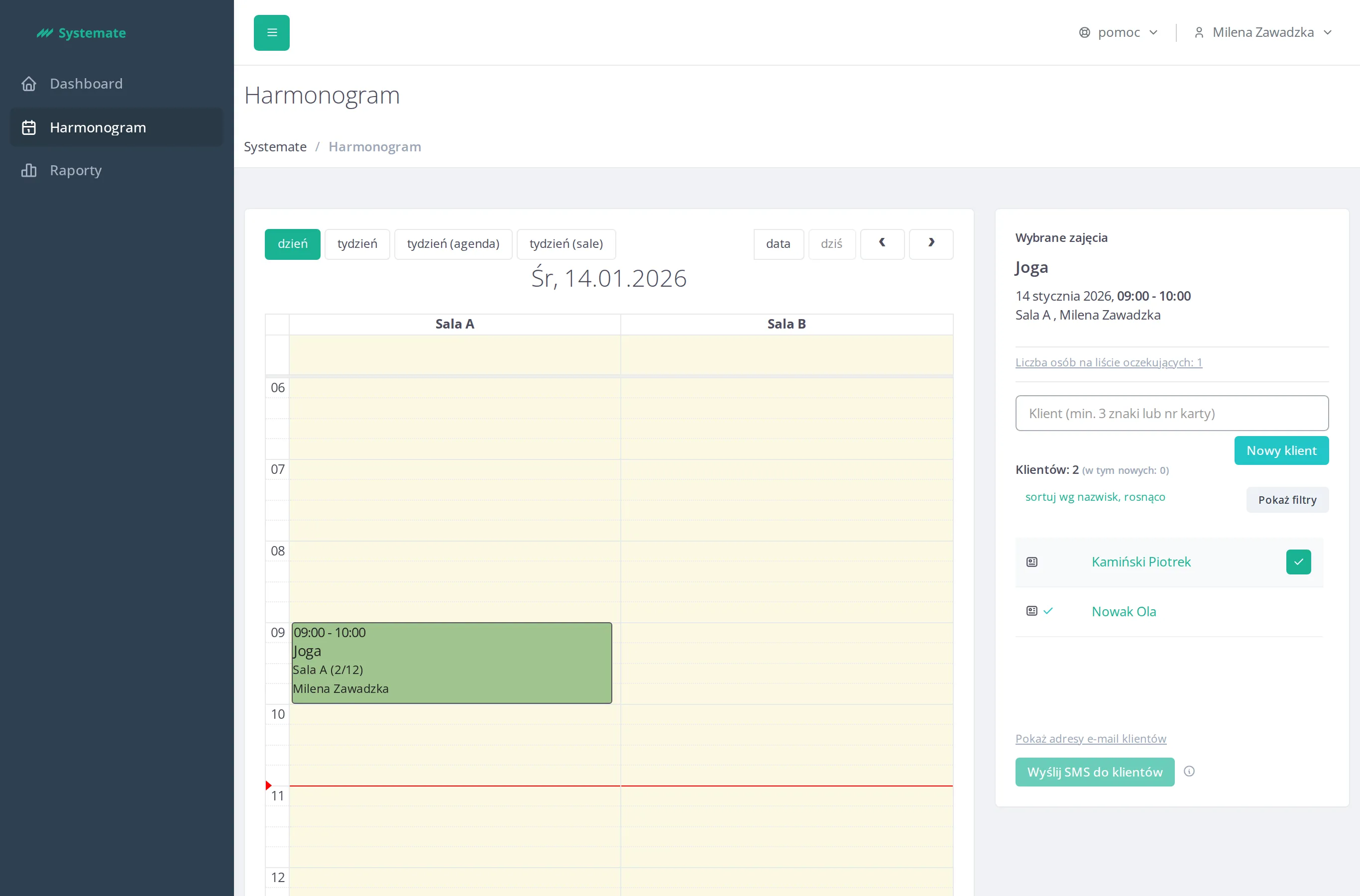
Step by step: Check the attendance list.
4. A glance at the waiting list
Section titled “4. A glance at the waiting list”The class is popular — under the attendance list she sees a Number of people on the waiting list link with a count next to it. She clicks it to see who’s hoping for a spot to open up, in case someone cancels last minute.
The result: Milena knows exactly which classes are hers this week, how many people to expect at yoga, and who’s waiting for a seat.