Sign up for a class
-
Open the class schedule and find the class in the day or week view. The schedule starts at the current week — the back arrow is dimmed on the current week (week view) and on today (day view), and the date picker does not let you choose an earlier date.
-
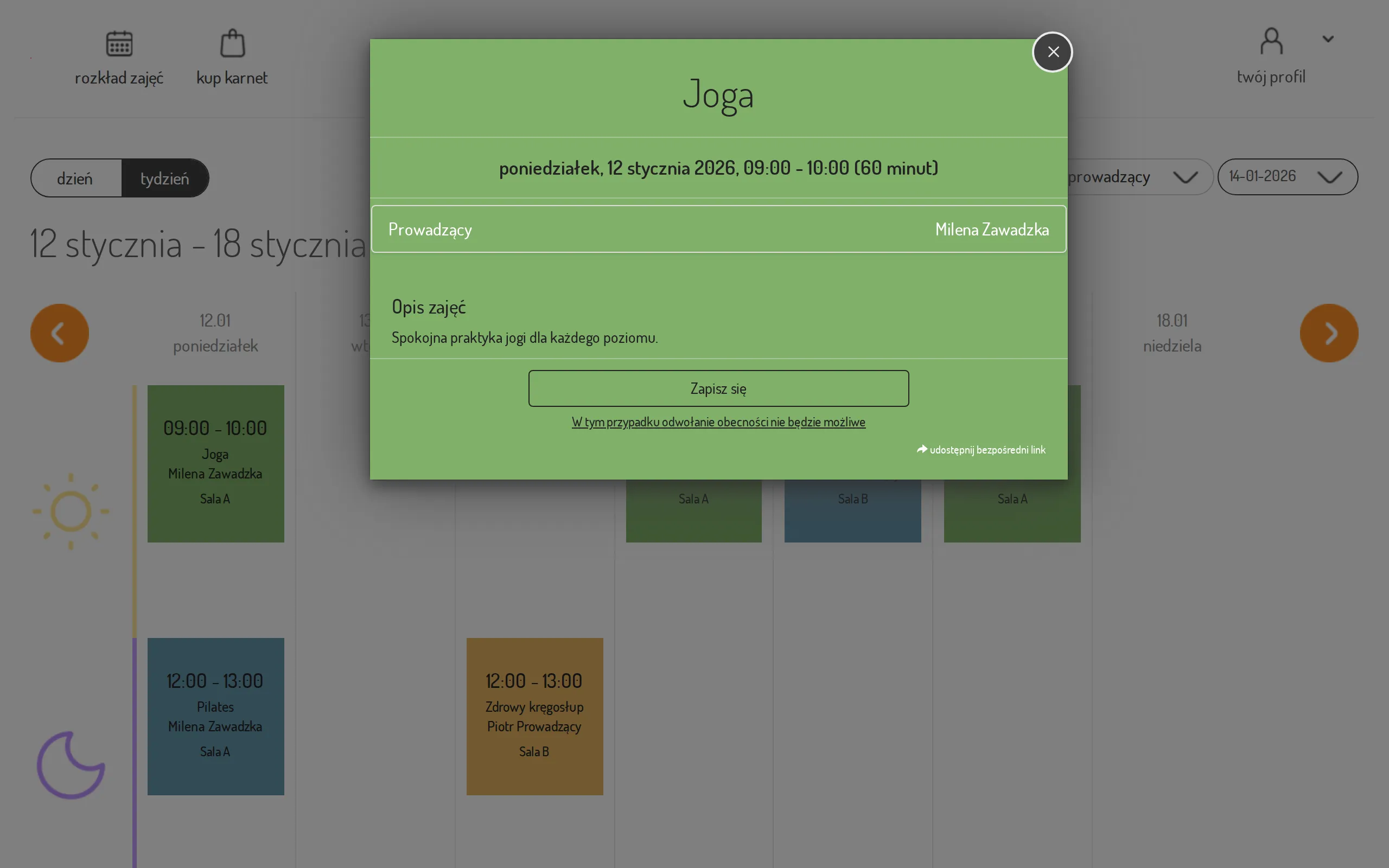
Click the class tile — you will see the details: the instructor, the room, and the time.
-
Click Sign up. If you are not logged in, the system will ask you to log in first.
-
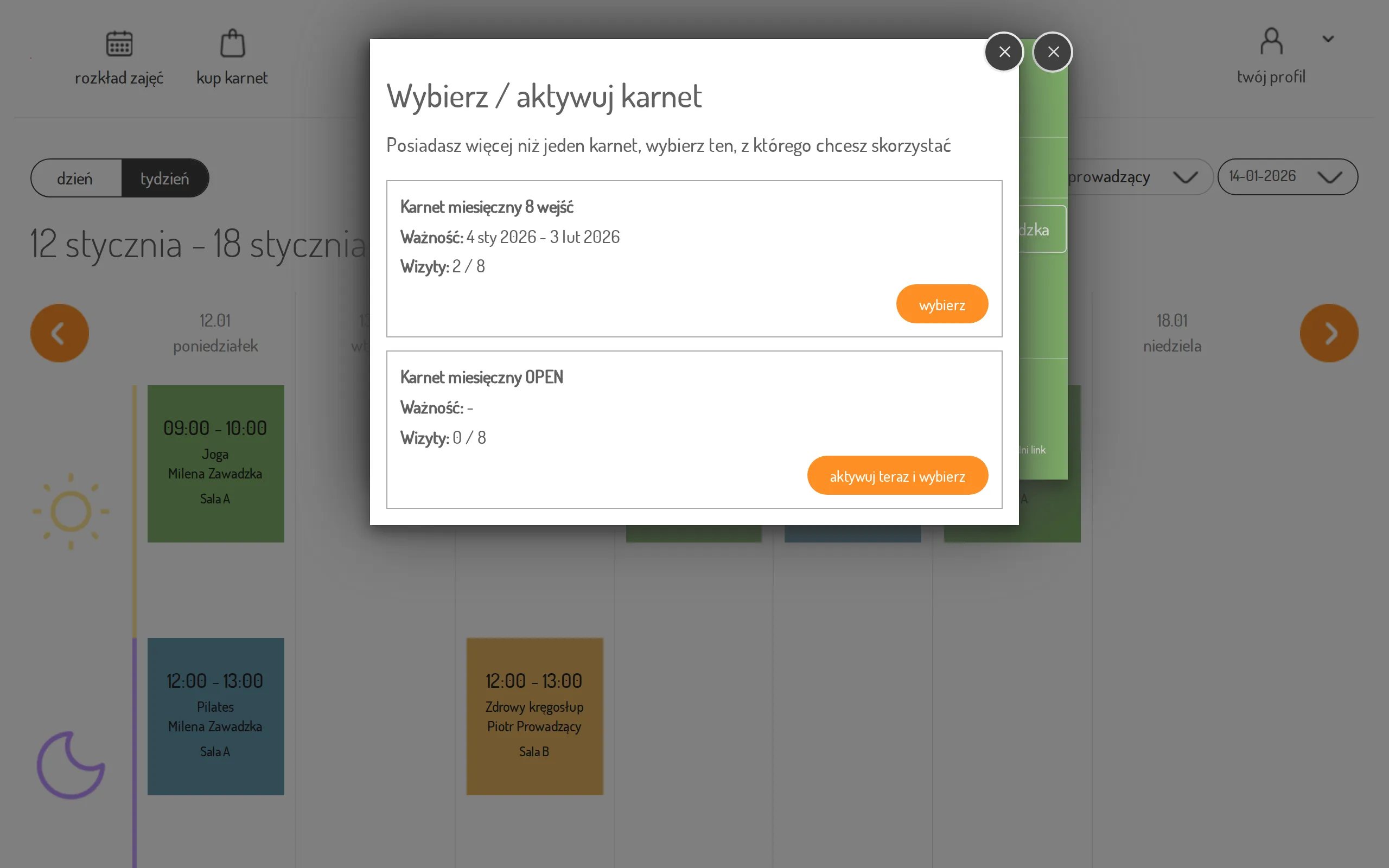
If you have more than one pass, choose the one you want to use. For an inactive pass use activate now and choose.
-
Done — you will see the confirmation “You are signed up for this class”.