Create an account
-
Click sign in in the top bar. In the dialog, next to “New customer?” click Register.
-
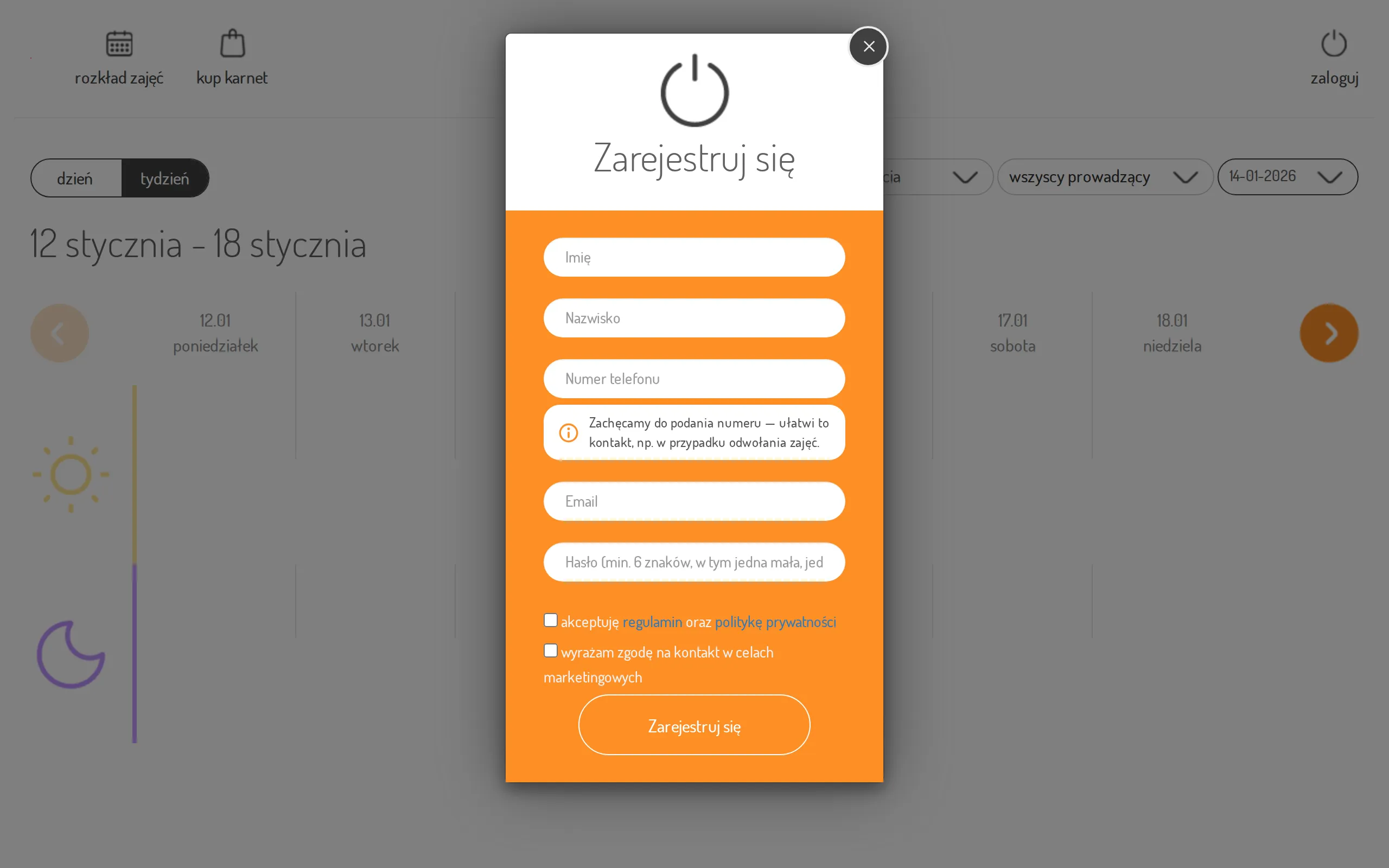
Fill in first name, last name, e-mail, and a password (at least 6 characters, with a lowercase letter, an uppercase letter, and a number). You can also enter a phone number — some studios require it. Where it isn’t required you can leave the field empty; after clicking Register you’ll see an encouragement to add it, and clicking again continues the registration without a number.
-
Tick the checkbox to accept the terms and privacy policy — required. The marketing-agree checkbox is optional.
-
Click Register.
-
You’ll see: “We’ve send email to address {your e-mail}.” and “Check your inbox (or SPAM folder) and follow the instructions to sign in.”
-
Open the activation link in that e-mail — you’ll see “Your account was successfully activated! You can now log-in!”.