Ania settles an outstanding balance online
Ania Kowalska picks up a new pass at the Studio Ruchu Flow front desk — but she doesn’t have the full amount in cash. The receptionist enters what Ania paid and assigns the not-fully-paid transaction to her client account (see Sell a pass at the front desk). The pass is Ania’s; the rest of the money is now an outstanding balance.
1. The panel shows the balance
Section titled “1. The panel shows the balance”That evening Ania opens passes in the customer panel. Above her pass, the Your passes view shows Your account balance with the amount she still owes — and a Pay button next to it.
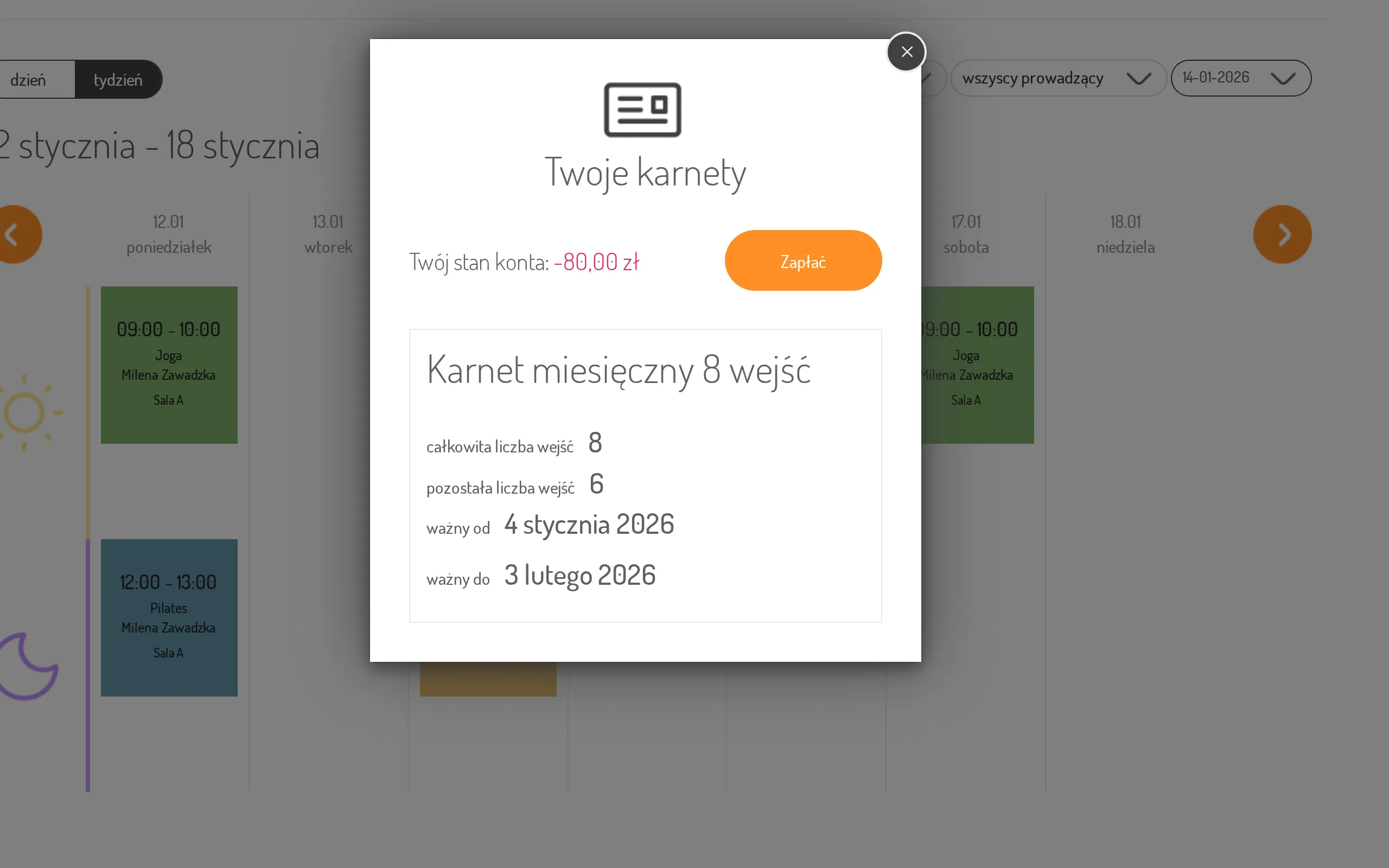
Where to find it: Check your passes.
2. She pays online
Section titled “2. She pays online”Ania clicks Pay and lands on the payment operator’s secure page. One payment covers all her outstanding transactions at once.
3. Settled
Section titled “3. Settled”Back in the panel, the Your account balance box is gone. On the studio side the red Unsettled payments alert on Ania’s client page disappears as well.
The result: the balance from the front desk is settled from Ania’s couch — no second trip to the studio.