Ania signs up for yoga and buys a pass
Ania Kowalska goes to Studio Ruchu Flow for yoga. She doesn’t want to call the front desk — she handles everything herself in the customer panel: checks the schedule, books a spot, and buys a new pass when the old one runs out.
1. Ania checks the schedule
Section titled “1. Ania checks the schedule”Ania opens the customer panel and sees the class schedule for the current week. Monday yoga with Milena Zawadzka at 9:00 — that’s the one.
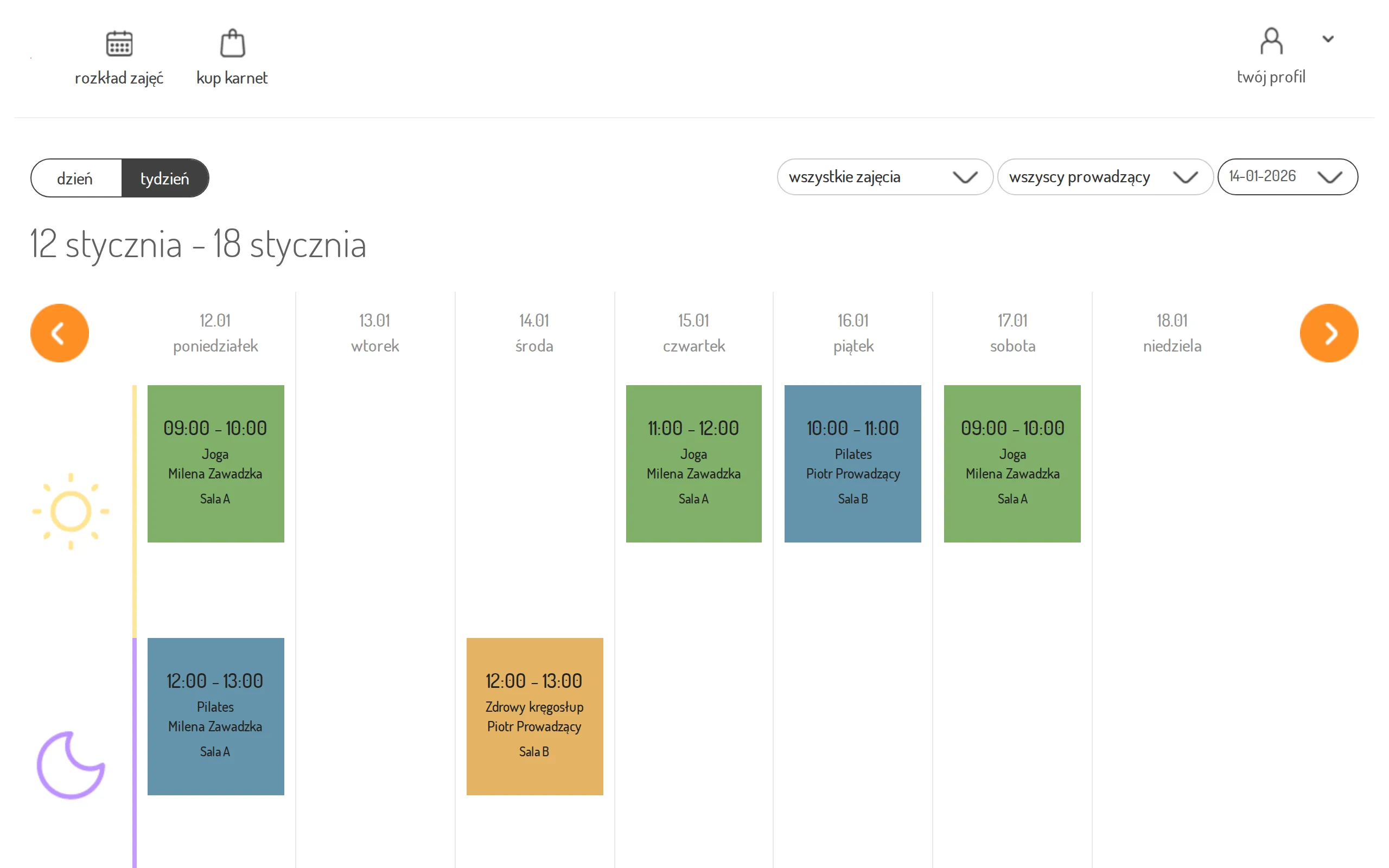
2. She opens the class details
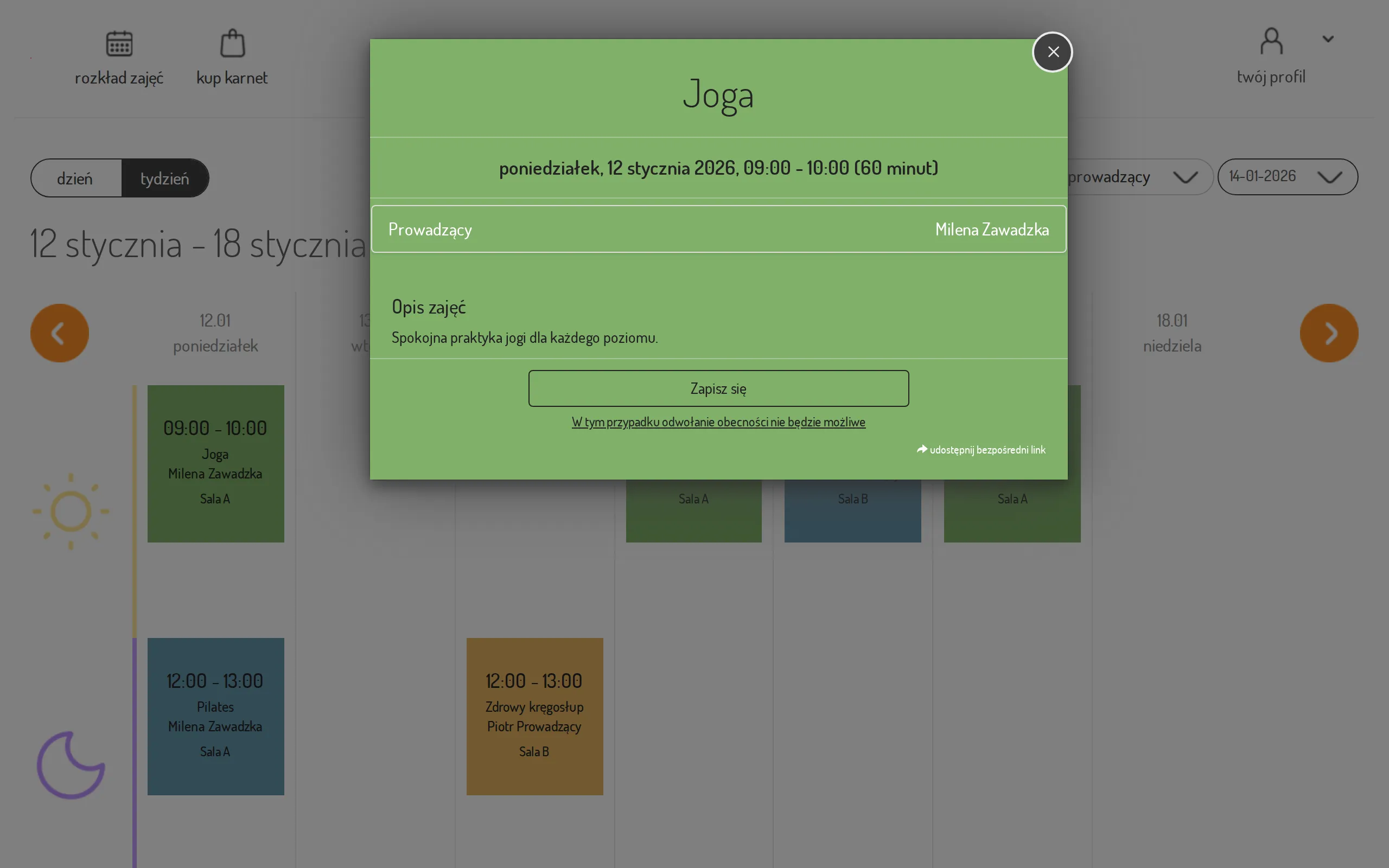
Section titled “2. She opens the class details”She clicks the class tile and sees the details: the instructor, the room, the time, and the sign-up button.
3. She picks a pass
Section titled “3. She picks a pass”Ania has two passes, so the system asks which one to use. She picks the active “Karnet miesięczny 8 wejść” — she can see right away how many visits she has used.
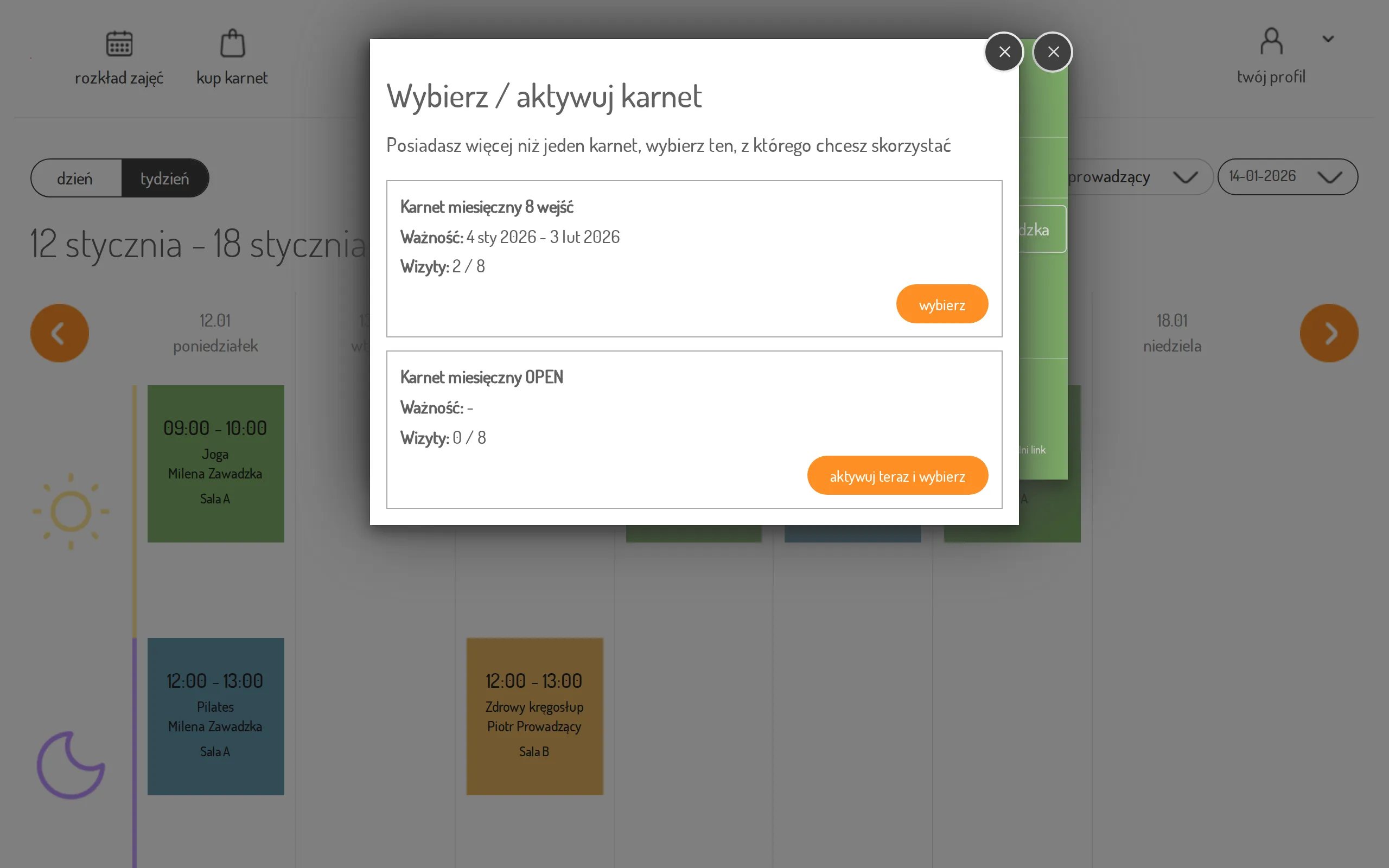
The same flow as single steps: Sign up for a class.
4. Booking confirmed
Section titled “4. Booking confirmed”Done — Ania is signed up. If her plans change, she can sign out in the same place (until the time shown under the button — the studio sets it for the whole schedule, and may set a different one on individual classes).
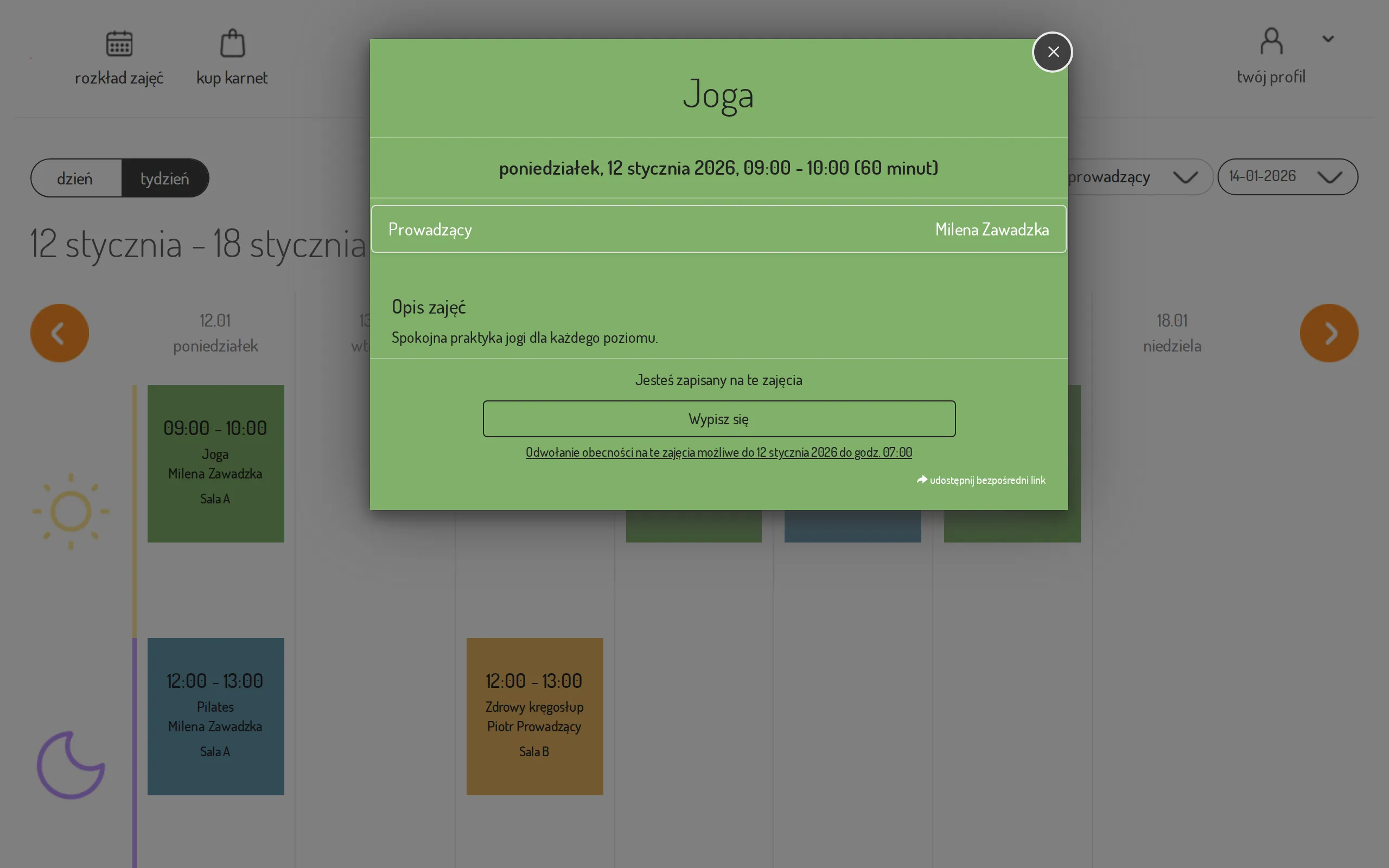
More: Cancel a booking. If Ania has push notifications enabled in the mobile app, she will also get a reminder before the class.
5. The pass runs out — Ania buys a new one
Section titled “5. The pass runs out — Ania buys a new one”A few weeks later she has one visit left. In the evening, around 19:00, the mobile app sends her a “Karnet wkrótce się kończy” (your pass ends soon) notification — this reminder comes when one visit is left on the pass or when tomorrow is its last valid day. The app does not send it while Ania holds another pass she can still use or that is waiting to be activated.
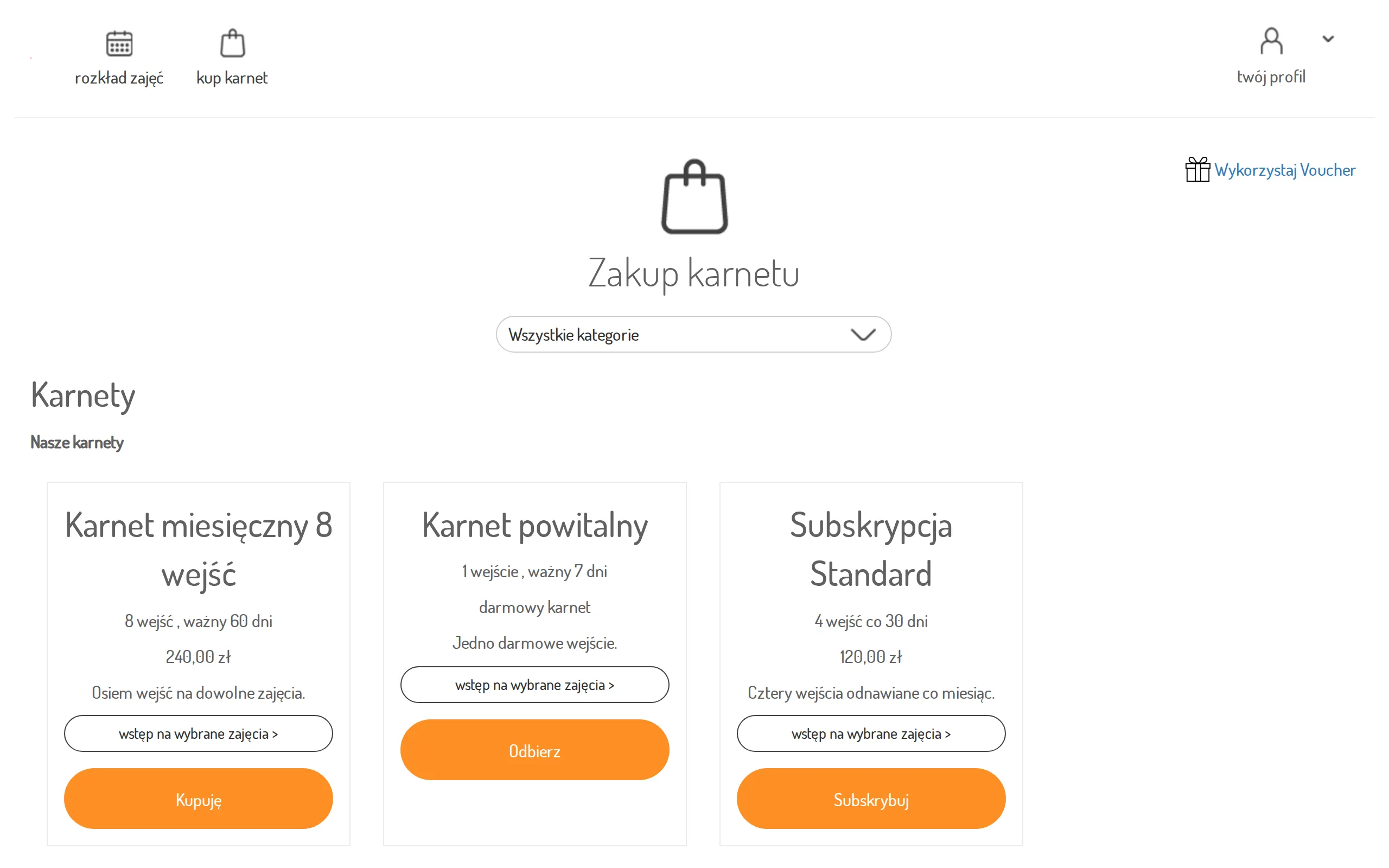
Ania opens buy a pass and browses the studio’s offer.
6. Online purchase
Section titled “6. Online purchase”She picks “Karnet miesięczny 8 wejść”, accepts the terms, and clicks Buy — the system takes her to the payment operator’s secure page.
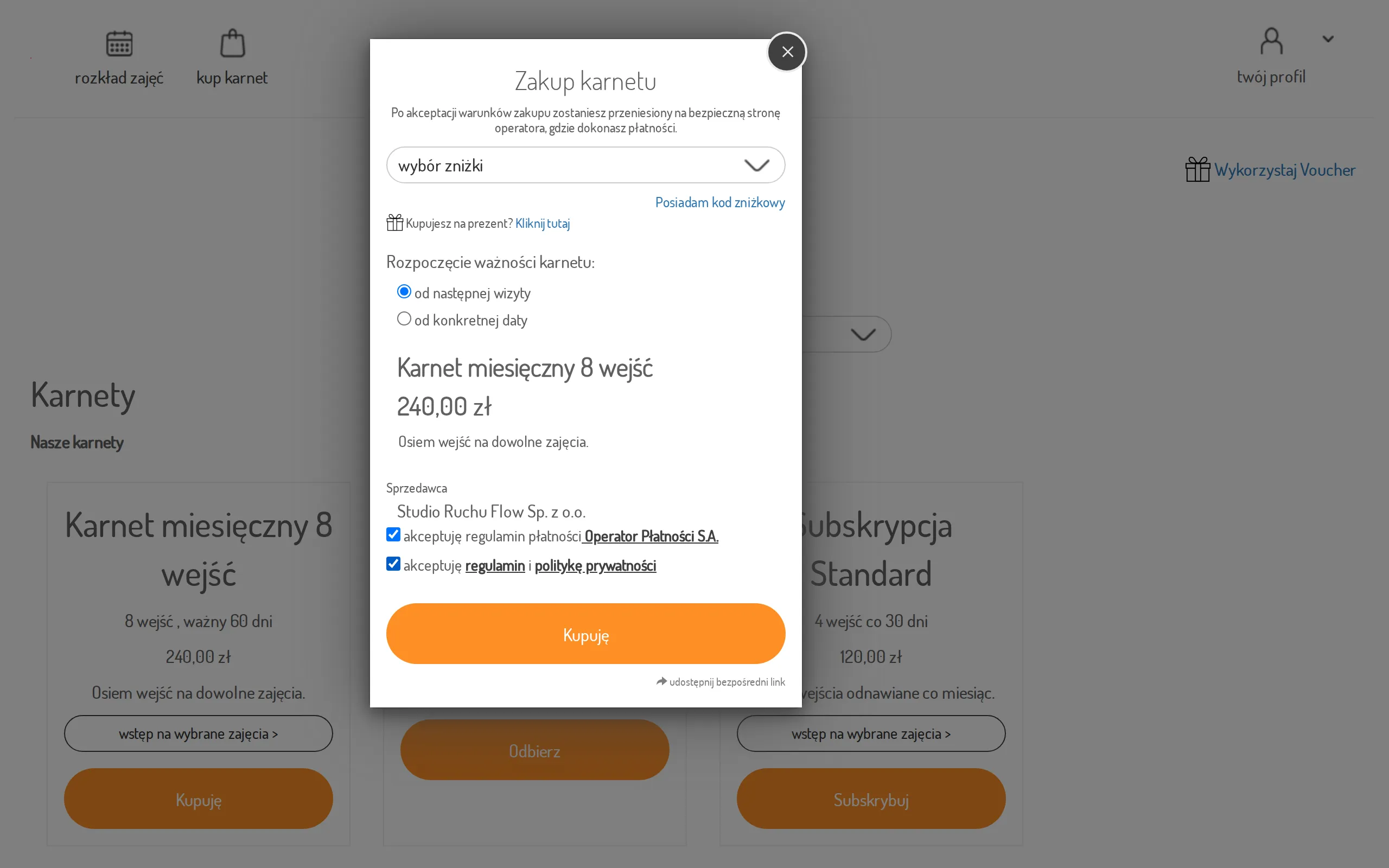
Step details: Buy a pass online.
The result: Ania has a booking for Monday and a fresh pass — without a single call to the front desk.