Kasia's sale, receipt, and invoice
Kasia Nowak runs the front desk at Studio Ruchu Flow. A sale is never just a sale: there’s a fiscal receipt to print, sometimes an invoice to issue, and — once in a while — a payment mystery to solve.
1. Morning: a sale at the desk
Section titled “1. Morning: a sale at the desk”Tomasz walks in before the 9:00 class: a new “Karnet miesięczny 8 wejść” and a bottle of water. Kasia opens Sale, types into Search for article or pass…, adds the pass (assigned to Tomasz) and the water to the order. Tomasz pays cash — Kasia enters the amount received, the system shows the change, she ticks print receipt and clicks Confirm.
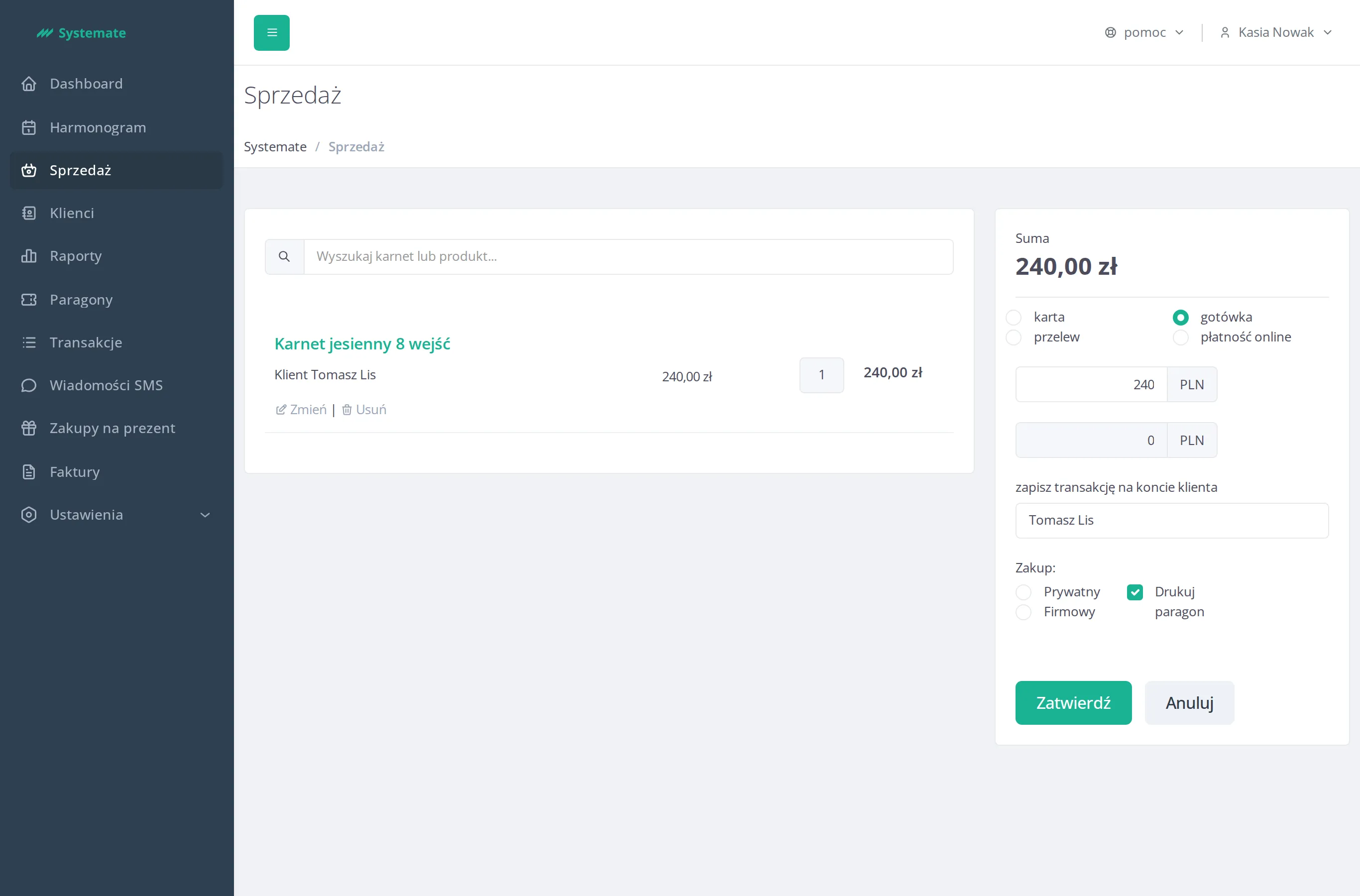
Step by step: Sell a pass at the front desk.
2. The receipt goes through the queue
Section titled “2. The receipt goes through the queue”The receipt doesn’t print by magic — it lands in the Receipts queue with the Ready to print status, and the menu badge counts what’s waiting. The fiscal printer picks it up, and a moment later the status flips to Printed. When a printer jams, this is also where Kasia moves an Error receipt back to Ready to print.
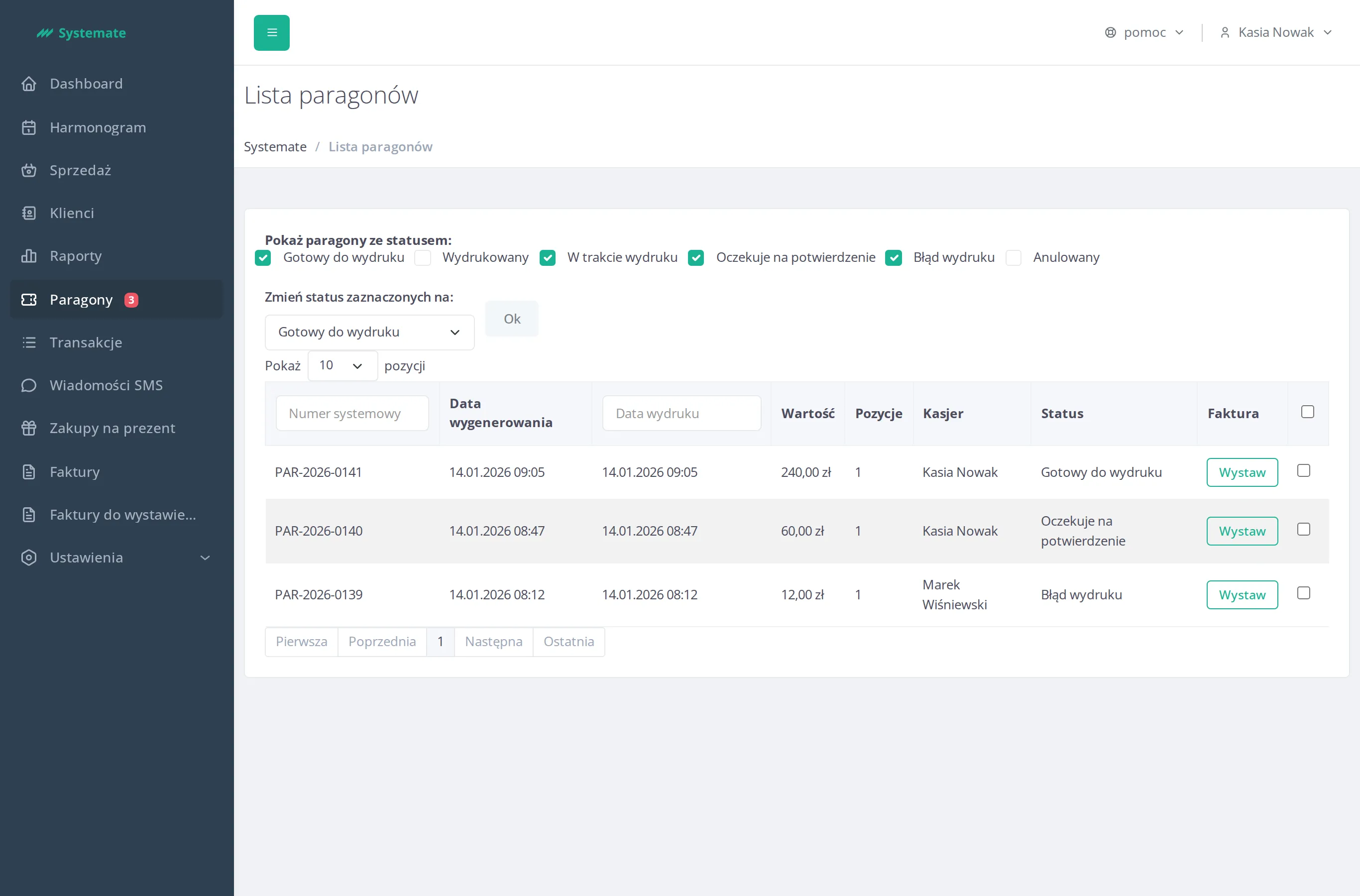
Details: Handle fiscal receipts.
3. A company asks for an invoice
Section titled “3. A company asks for an invoice”Ewa’s employer covers her pass, so she needs an invoice instead of a personal receipt. During the sale Kasia assigns the client under Assign transaction to client account, switches Purchase as: to company, and fills in the buyer’s invoice data. The request lands in Invoice requests, where it is normally invoiced automatically — Kasia only watches the badge.
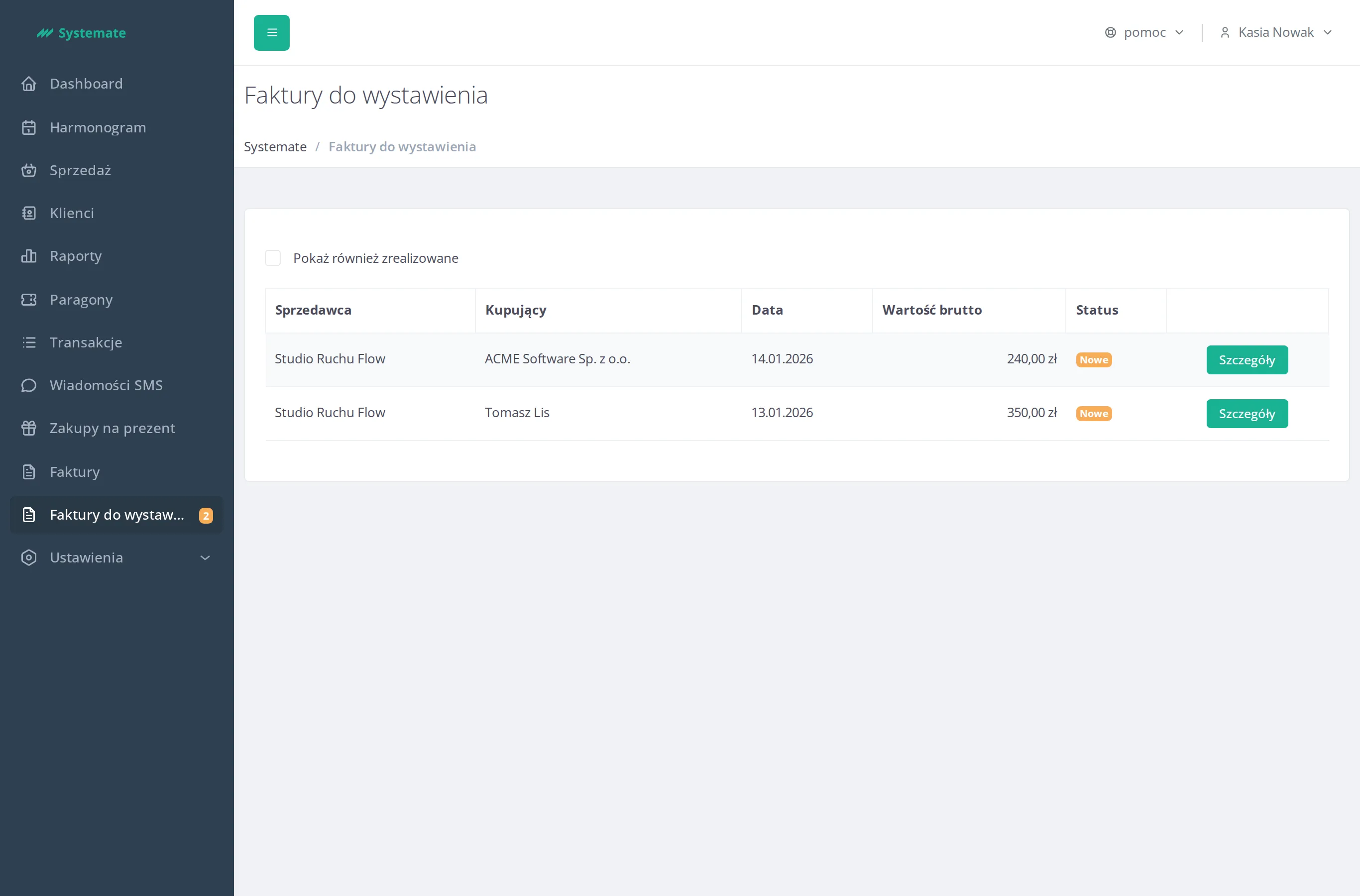
Missed it at sale time? The Invoice column of any transaction has a Create button. All paths: Issue an invoice. And if the studio sends company invoices to KSeF, this invoice reaches the national e-invoicing system on its own — how that got set up is the story of Marek connects the studio to KSeF.
4. Afternoon twist: “I bought a pass online!”
Section titled “4. Afternoon twist: “I bought a pass online!””Ania stops by, confused: she bought a pass in the customer panel an hour ago, but her passes view shows nothing. Kasia opens Clients, finds Ania, and checks her profile: no Unsettled payments alert, and the Transactions tab has no purchase from today.
That’s the whole answer: for online purchases Systemate creates the transaction — and the pass — only when the payment operator confirms the payment. A confirmed purchase would sit right here with the paid status and an Online payment entry in its details. No row means the payment never went through; Ania now remembers the “Payment failed :(” page she clicked away.
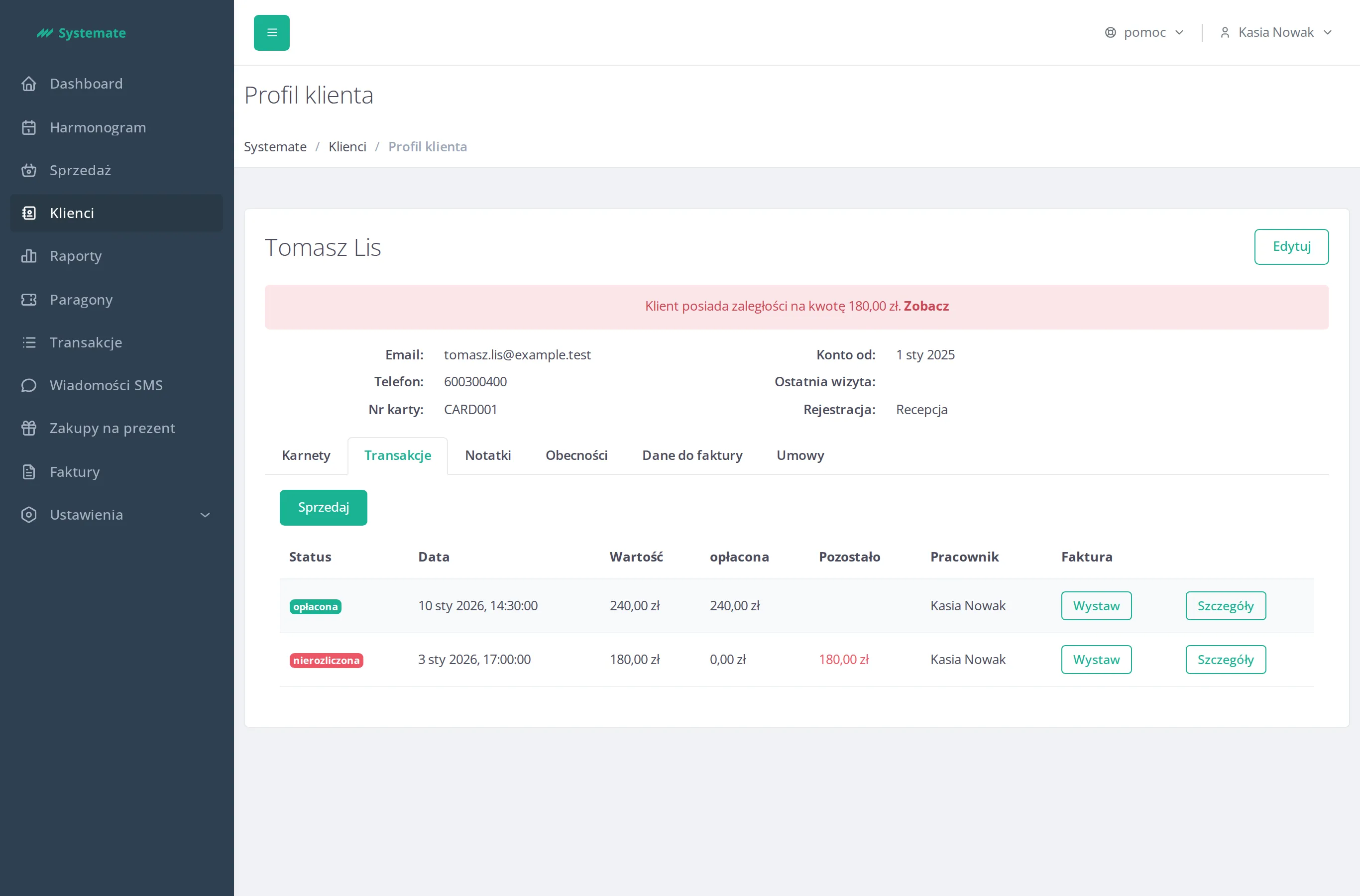
How to read the tab: Check a customer’s payments.
5. Two honest ways out
Section titled “5. Two honest ways out”No money was collected, so nothing needs refunding. Ania can simply retry the purchase in the customer panel (Buy a pass online) — or Kasia clicks Sell right on the Transactions tab, which opens the sale view with Ania already assigned. Ania picks the desk: she pays by card and the pass is on her account immediately.
The result: the morning sale is fiscally printed, the company invoice issued itself from the queue, and a “missing” online pass turned out to be a failed payment — solved at the desk in two minutes.