Cancel a booking
-
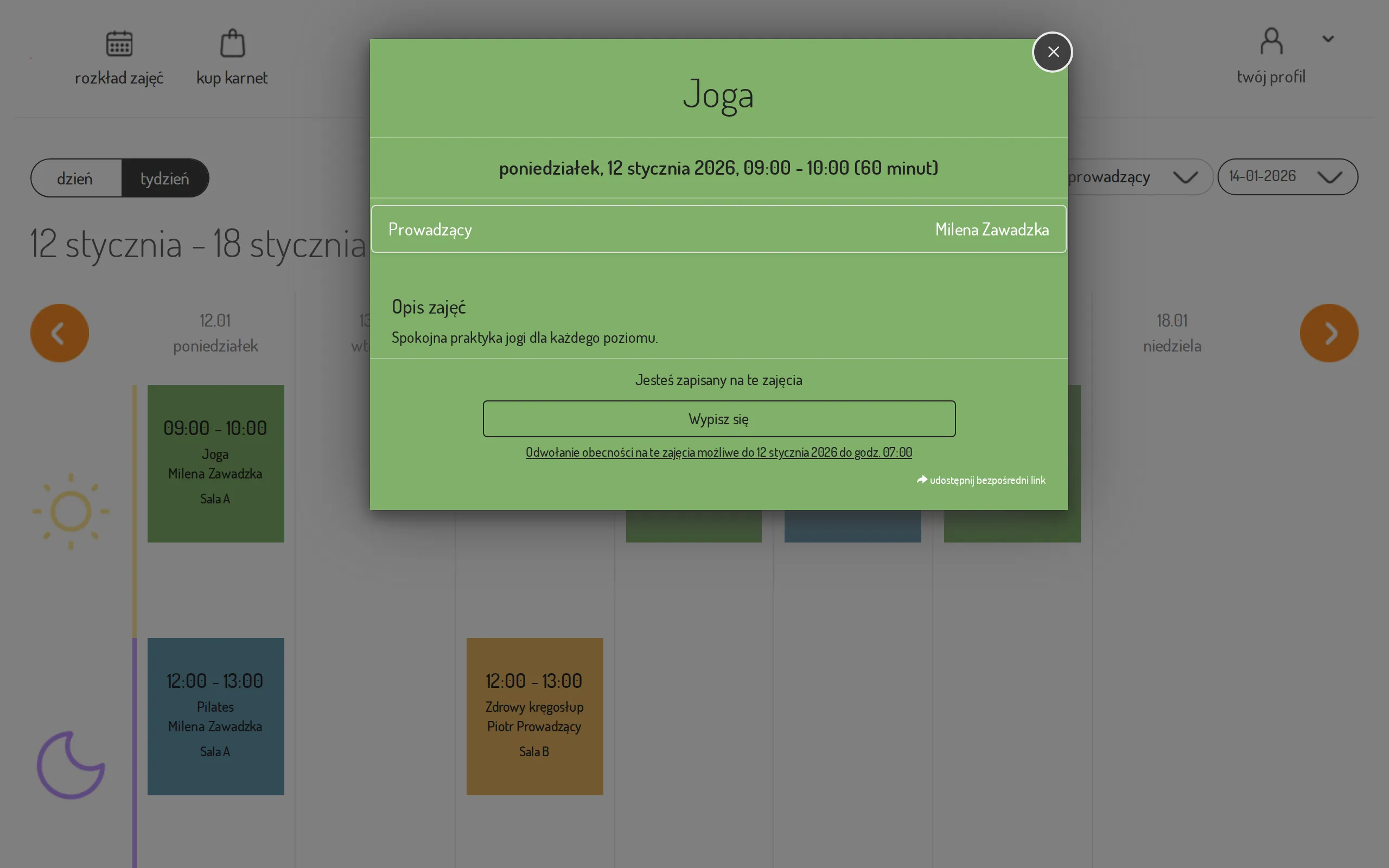
Open the class schedule and click the class you are signed up for.
-
In the class details click Sign out.
-
The visit returns to your pass.
That time follows from the cancellation window your studio sets — see Set the cancellation window. A single class may carry a window of its own, so the time under the button differs from class to class — a workshop usually closes cancelling earlier than an ordinary evening class. The time shown on that particular class is always the one that counts.
The time can also be earlier than your studio’s usual window when the class has automatic cancellation switched on: the studio then checks well in advance whether enough people signed up, and after that decision nobody leaves the class any more. There is nothing for you to do about it — the button always shows the time that really applies.
If you need to cancel after that moment, contact the reception — an employee can remove the booking regardless of the deadline.