A contract from signing to suspension
Kasia Nowak runs the front desk at Studio Ruchu Flow. Tomasz has been coming to classes for months and wants to stop buying a pass every few weeks — he decides on a six-month contract: six consecutive periods, one installment and one pass per period. Contracts are sold only at the front desk — in the online offer a contract is marked as available offline only — so Tomasz stops by after class.
1. Kasia sells the contract
Section titled “1. Kasia sells the contract”In Sale Kasia picks the contract pass for Tomasz. She selects him as the Client and sets the Contract start date — the installment Schedule appears, listing the date and amount of every installment and the Last pass valid to date, so Tomasz can see the whole plan before he signs. Kasia clicks Add: the order line is marked First installment payment, so today Tomasz pays only the first installment.
Step by step: Sell a pass on a contract.
2. The system takes over the installments
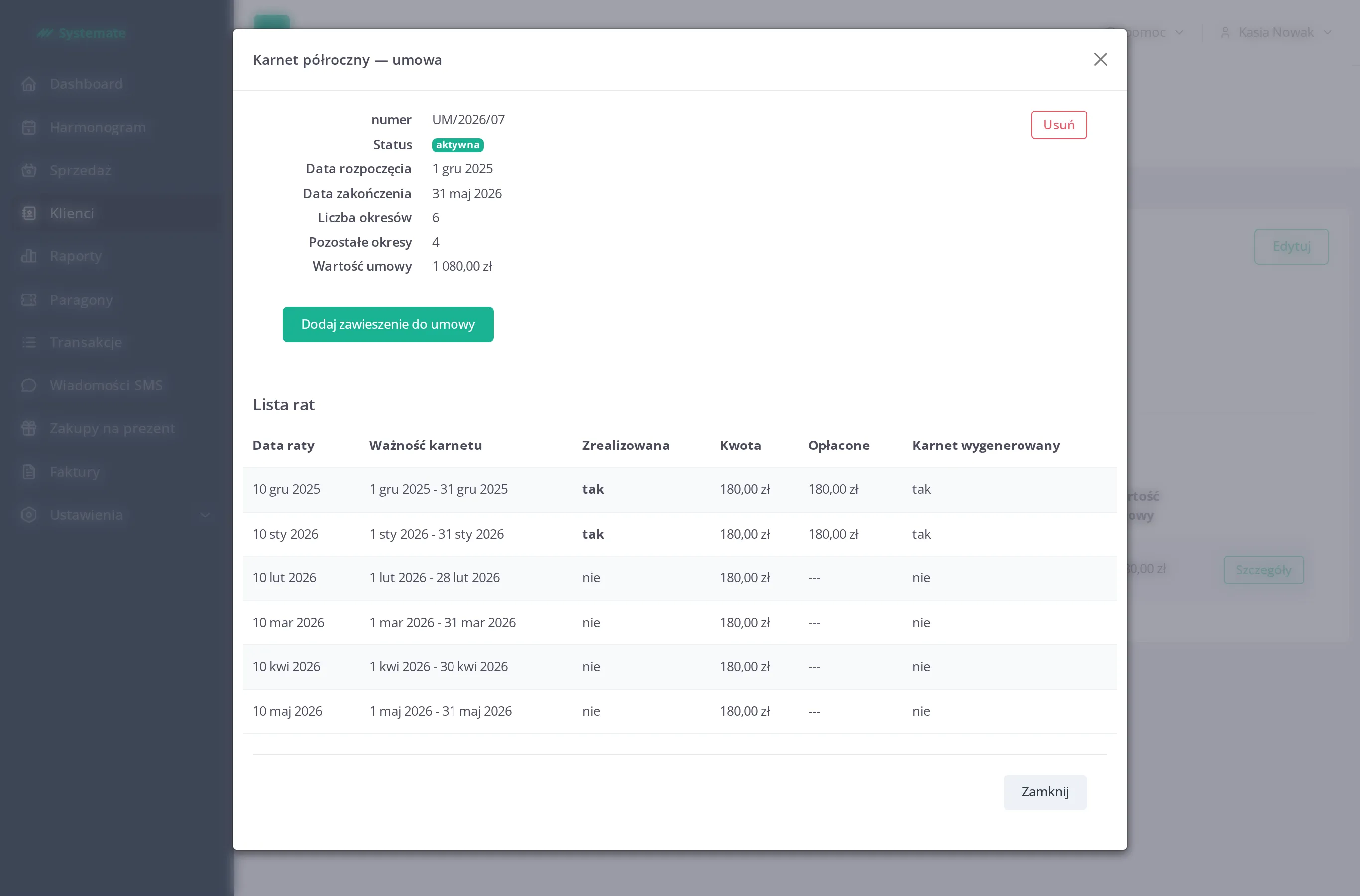
Section titled “2. The system takes over the installments”Kasia doesn’t have to remember about the remaining installments. Shortly after the sale the system generates a pass for every installment period on its own, each valid exactly for its slice of the contract, together with an unpaid transaction for that installment. On Tomasz’s profile (Clients, the Contracts tab) the contract shows its Start date, End date, and the Installment list — for each installment its Maturity date, the Amount, how much is Paid, and whether the pass was generated (Pass generated).
3. A broken leg — two months on hold
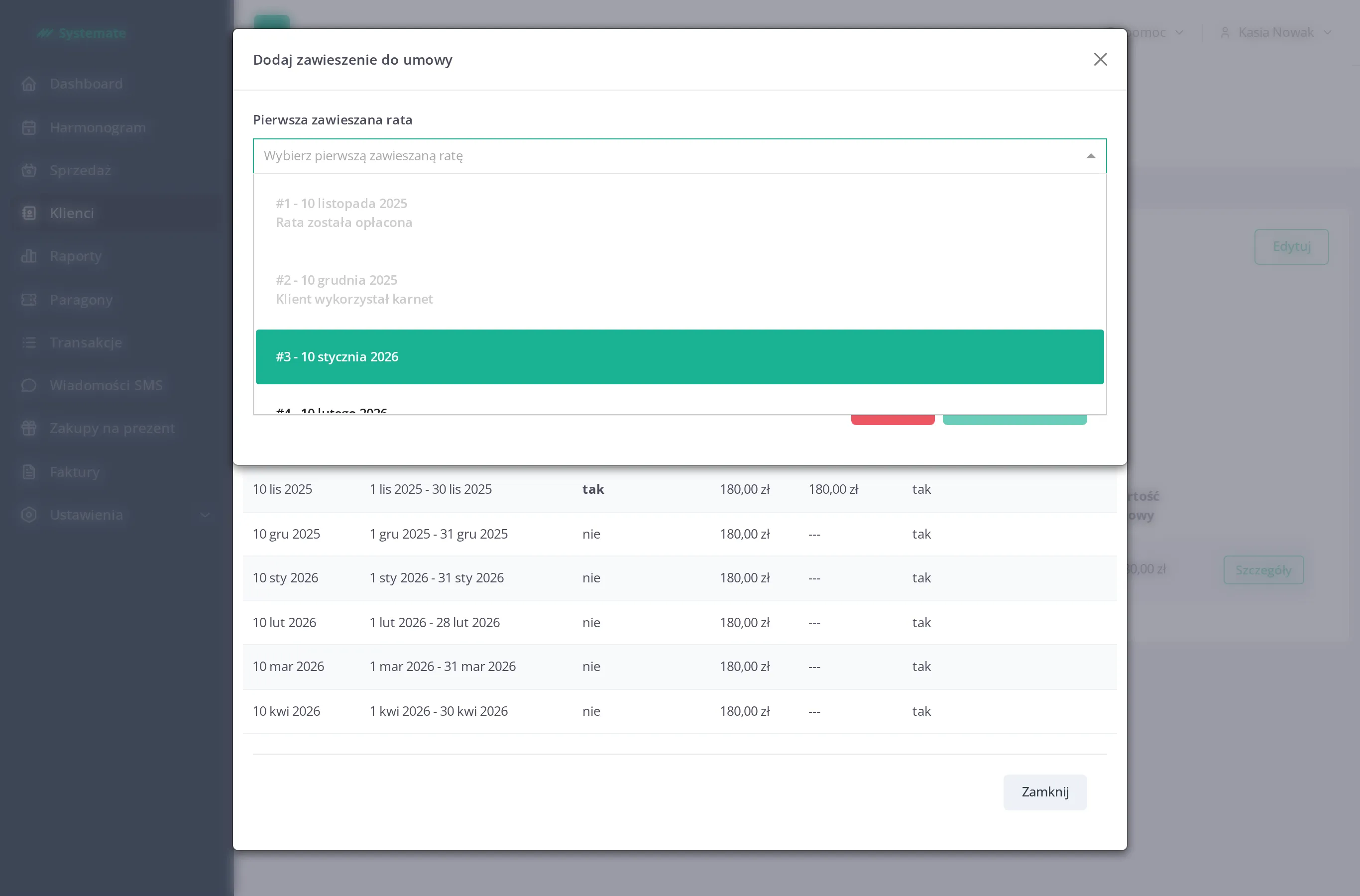
Section titled “3. A broken leg — two months on hold”Two months in, Tomasz breaks a leg and asks to put the contract on hold for the next two installments. In the contract details Kasia clicks Add suspension for contract and picks the First suspended installment and the Last installment — the two upcoming periods. The form only lets her pick installments that can still be suspended: paid ones are marked Installment paid and installments whose pass has already been used for a booking are marked Installment pass has been used — both stay greyed out, and the suspended range must be consecutive. Under Fine she chooses Don’t add fine (the studio doesn’t charge for injuries); choosing Suspension fine instead would charge a selected fine item as a separate transaction. She clicks Add suspension.
4. What the suspension actually does
Section titled “4. What the suspension actually does”The suspension doesn’t shift the installment plan around — it extends it:
- the passes of the two suspended installments are removed, along with their unpaid transactions — there is nothing for Tomasz to pay for those months,
- the remaining installments keep their original dates — nothing moves,
- two new installments with the same amount are added after the current end of the contract, and the contract’s End date moves later accordingly,
- passes and unpaid transactions for the added installments are generated automatically, just like for the original ones.
During the suspension Tomasz simply doesn’t see the suspended months’ passes in the customer panel anymore — there is nothing to book with and nothing to pay. Once he is back, his contract runs two periods longer, and in total he still pays the same six installments.
The result: Tomasz got a fixed six-month plan with one payment per period, and when life got in the way, Kasia paused it in a minute — the skipped months moved to the end of the contract instead of being lost.