Read your notifications
-
Log in to the customer panel — notifications are shown only to logged-in customers.
-
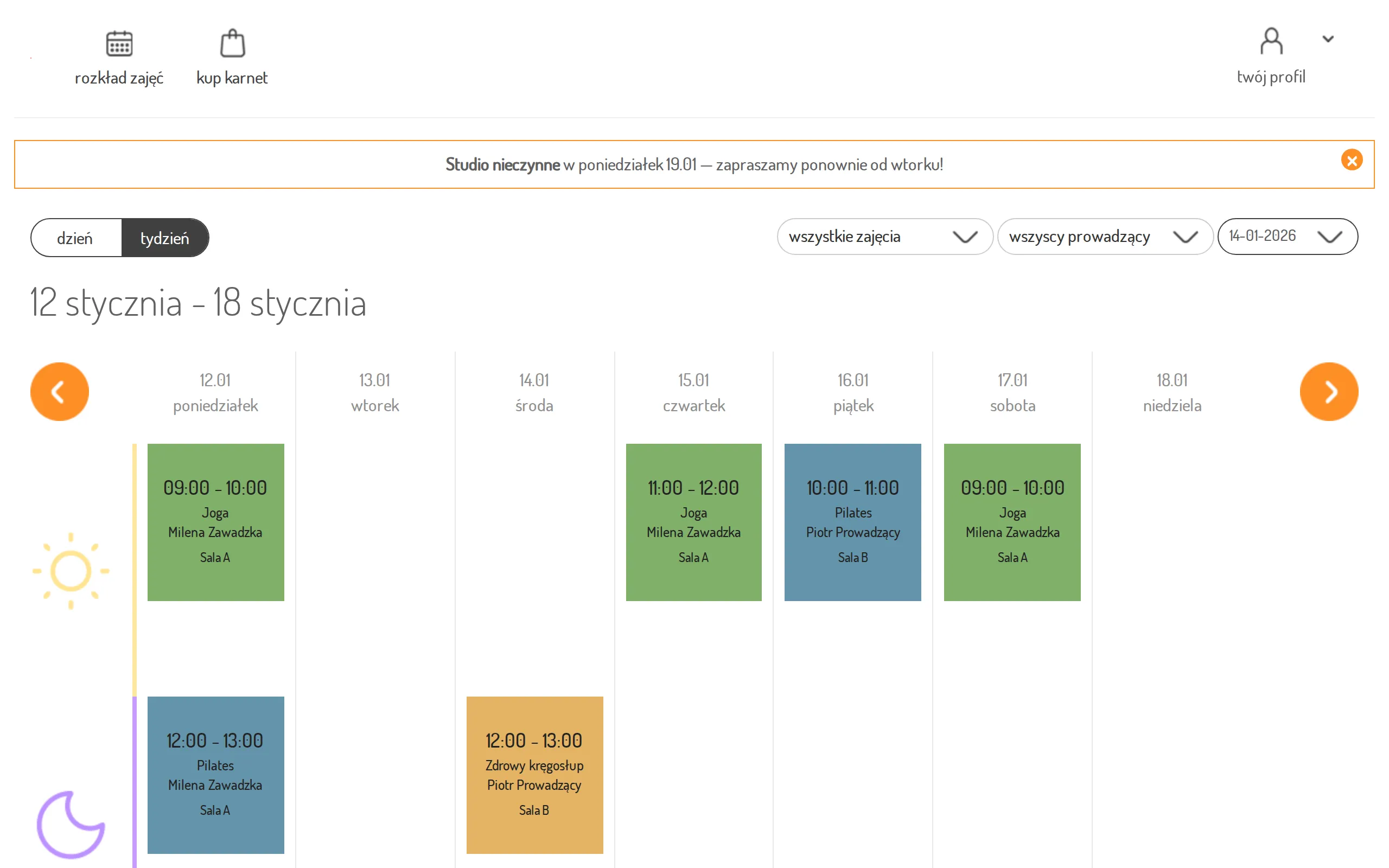
Messages your studio has published for you appear as banners at the top of the page, just below the menu, on every view.
-
To dismiss a notification, click the close (×) button in its corner. The dismissal is saved to your account, so the message will not come back.
Class reminders in the mobile app
Section titled “Class reminders in the mobile app”The mobile app sends a push notification before a class you have booked. By default, the reminder arrives 60 minutes before the class starts, but the studio can choose a different lead time. Push notifications must be enabled in the app settings.
No reminder is sent if you book after the reminder moment, the class is cancelled, or you cancel your booking.
Choose which notifications you receive
Section titled “Choose which notifications you receive”In the mobile app, open Profile and go to the Notifications section. When push notifications are enabled, you see a switch for each kind of notification your studio sends:
- Cancelled classes — a notification when a class you booked is cancelled.
- Expiring pass — a notification before your pass runs out.
- Class reminders — a reminder before a class you booked.
Each switch is saved as soon as you flip it.
Change the reminder time
Section titled “Change the reminder time”- Make sure the Class reminders switch is on — the reminder time field appears under it.
- Tap the Class reminder field and select one of the seven options:
- School default — the reminder arrives at the time set by the studio; next to it you see what that is, e.g. “School default — 1 hour before class”. If the studio changes its time, your reminder changes with it.
- 1, 2, 3, 6, 12 or 24 hours before class — the reminder arrives at the time you select, regardless of the studio’s setting.
- Your selection is saved immediately.
To stop reminders, switch Class reminders off. When you switch it back on, the reminder time returns to the school default.