Add a retail product
-
In the office panel go to Settings → Articles.
-
Click Add.
-
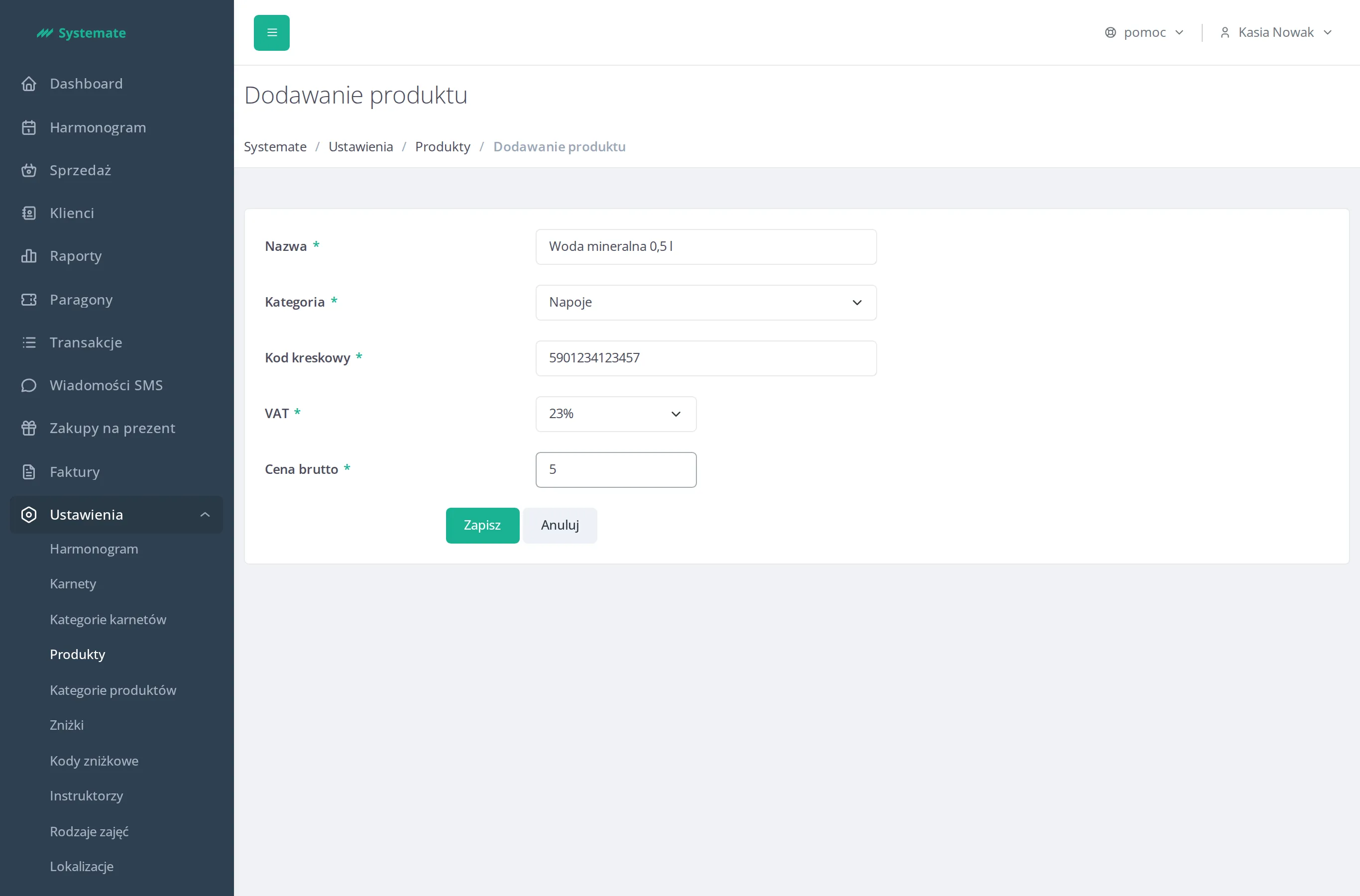
Fill in the form:
- Name — the product name,
- Category — pick an existing article category,
- Barcode — used to find the product quickly at the sale screen,
- Tax — the VAT rate,
- Price gross.
-
Click Save.