Ania switches to a subscription
Ania Kowalska buys the same pass at Studio Ruchu Flow every month — and every month she forgets until the old one runs out. Then she notices something new in the studio’s offer.
1. She spots a subscription in the offer
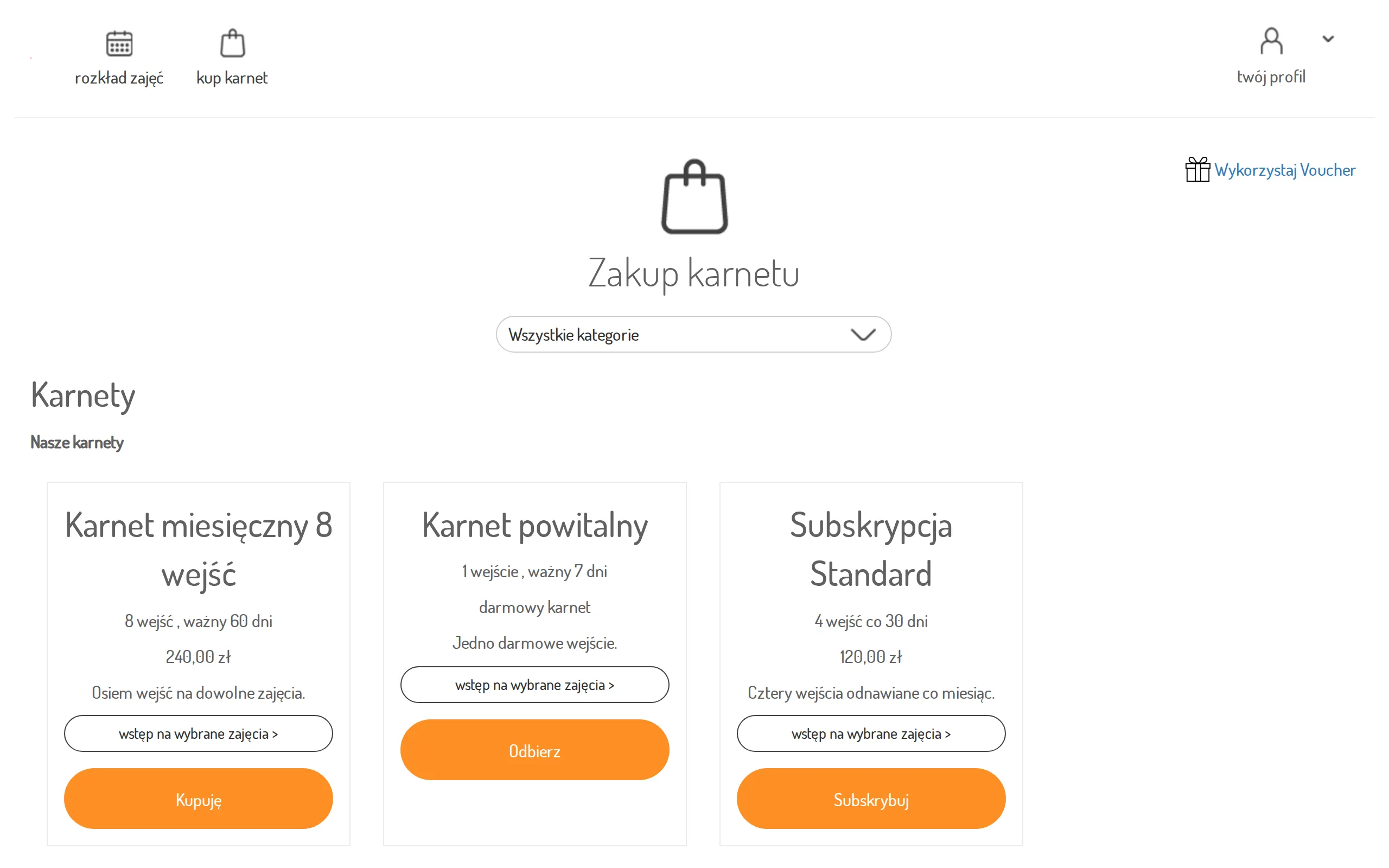
Section titled “1. She spots a subscription in the offer”Browsing the offer, Ania sees “Subskrypcja Standard”: the tile shows the price with its renewal period (“every 30 days”) and a Subscribe button where other passes say Buy.
2. She subscribes and pays once
Section titled “2. She subscribes and pays once”Ania clicks Subscribe, accepts the terms in the purchase dialog, and is taken to the payment operator’s secure page to submit her payment — the same flow as any online pass purchase.
Step details: Buy a pass online.
3. The subscription takes care of itself
Section titled “3. The subscription takes care of itself”From now on there is nothing to rebuy: the recurring price is charged automatically every renewal period and Ania’s pass stays valid. No more end-of-month surprises at the sign-up button.
4. She checks it in the Subscriptions view
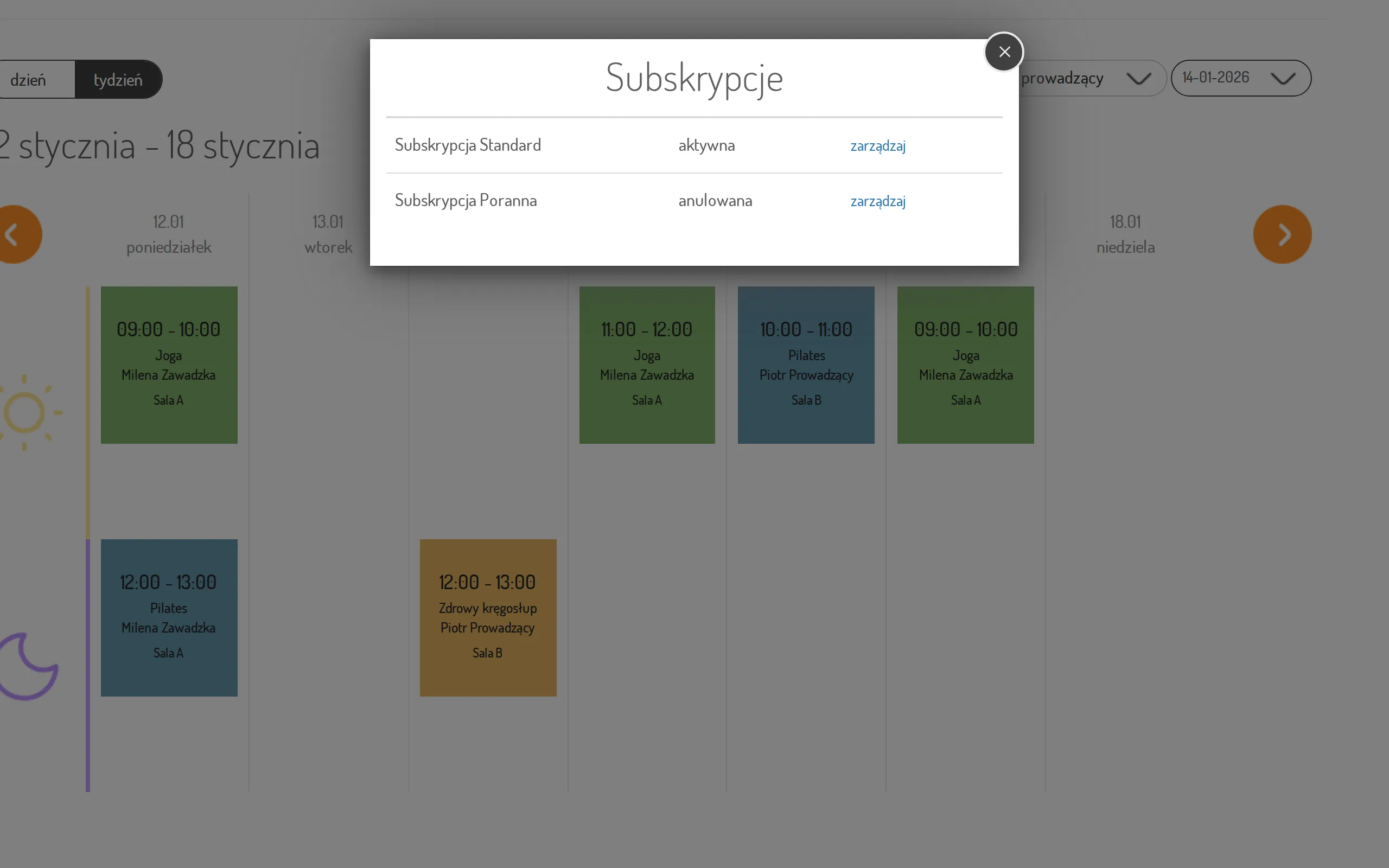
Section titled “4. She checks it in the Subscriptions view”Out of curiosity Ania opens the navigation menu and clicks subscriptions. The Subscriptions view lists her subscription with its status — active. This is also where she would spot trouble: a failed renewal shows up as past due or unpaid.
Step by step: Manage your subscription.
5. Summer break — she cancels
Section titled “5. Summer break — she cancels”Months later Ania is skipping the gym for the summer. In the Subscriptions view she clicks manage next to her subscription — the panel hands her over to the payment operator’s secure customer portal, where the actual changes happen: reviewing payments, updating the card, and cancelling. She cancels there, the portal takes her back, and once the subscription ends it shows as canceled in the list.
The result: a whole season of passes with a single purchase — and when life changed, cancelling took two clicks and a visit to the payment portal.