Milena runs her private lessons
Milena Zawadzka also teaches private yoga lessons at Studio Ruchu Flow. The front desk has linked her account to her instructor, so the office panel menu shows her the entry Moje zajęcia (My lessons) — only her reservations and her hours.
1. Milena opens „Moje zajęcia”
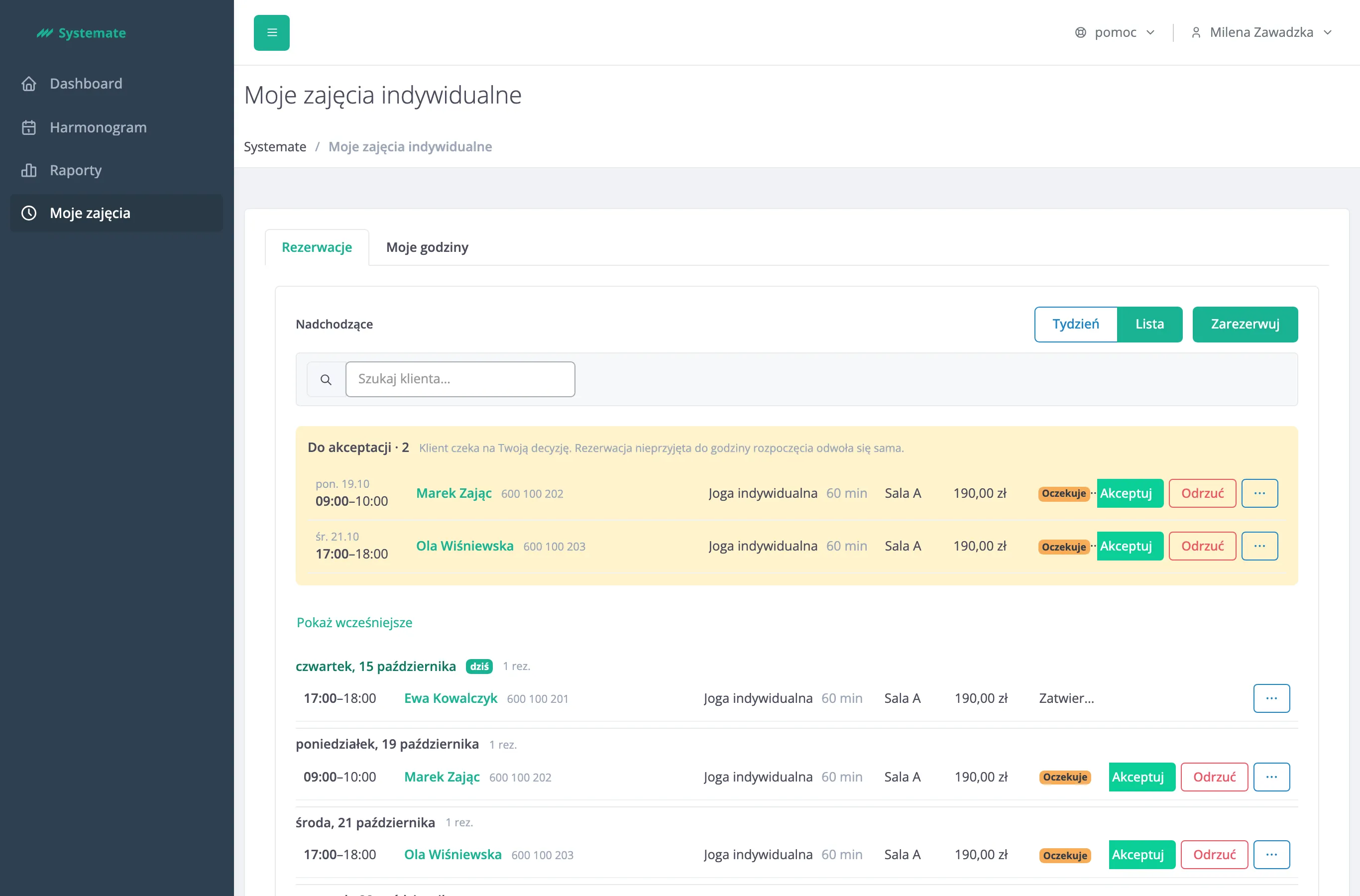
Section titled “1. Milena opens „Moje zajęcia””Milena chooses Moje zajęcia in the menu. The page Moje zajęcia indywidualne opens on the Rezerwacje (Reservations) tab, in the Lista (List) view: under the heading Nadchodzące (Upcoming) she sees all her scheduled reservations, day by day.
2. She decides on the reservations „Do akceptacji”
Section titled “2. She decides on the reservations „Do akceptacji””At the top of the list, the section Do akceptacji (To accept) gathers the reservations waiting for her decision. Milena accepts Ola’s reservation with Akceptuj. Marek’s time does not suit her, so she chooses Odrzuć (Refuse) and types a reason — the customer gets it in a message, and the time becomes free again.
3. She moves a reservation
Section titled “3. She moves a reservation”Tomasz asks for another day. Milena opens the ⋯ menu of his reservation, chooses Zmień termin (Reschedule) and picks a new day and time among her free slots.
4. She books a lesson for a customer
Section titled “4. She books a lesson for a customer”After a lesson, Ewa wants to book the next one. Milena clicks Zarezerwuj (Book), finds Ewa, chooses the lesson type, the day and the time, and confirms the reservation.
5. She sets her hours
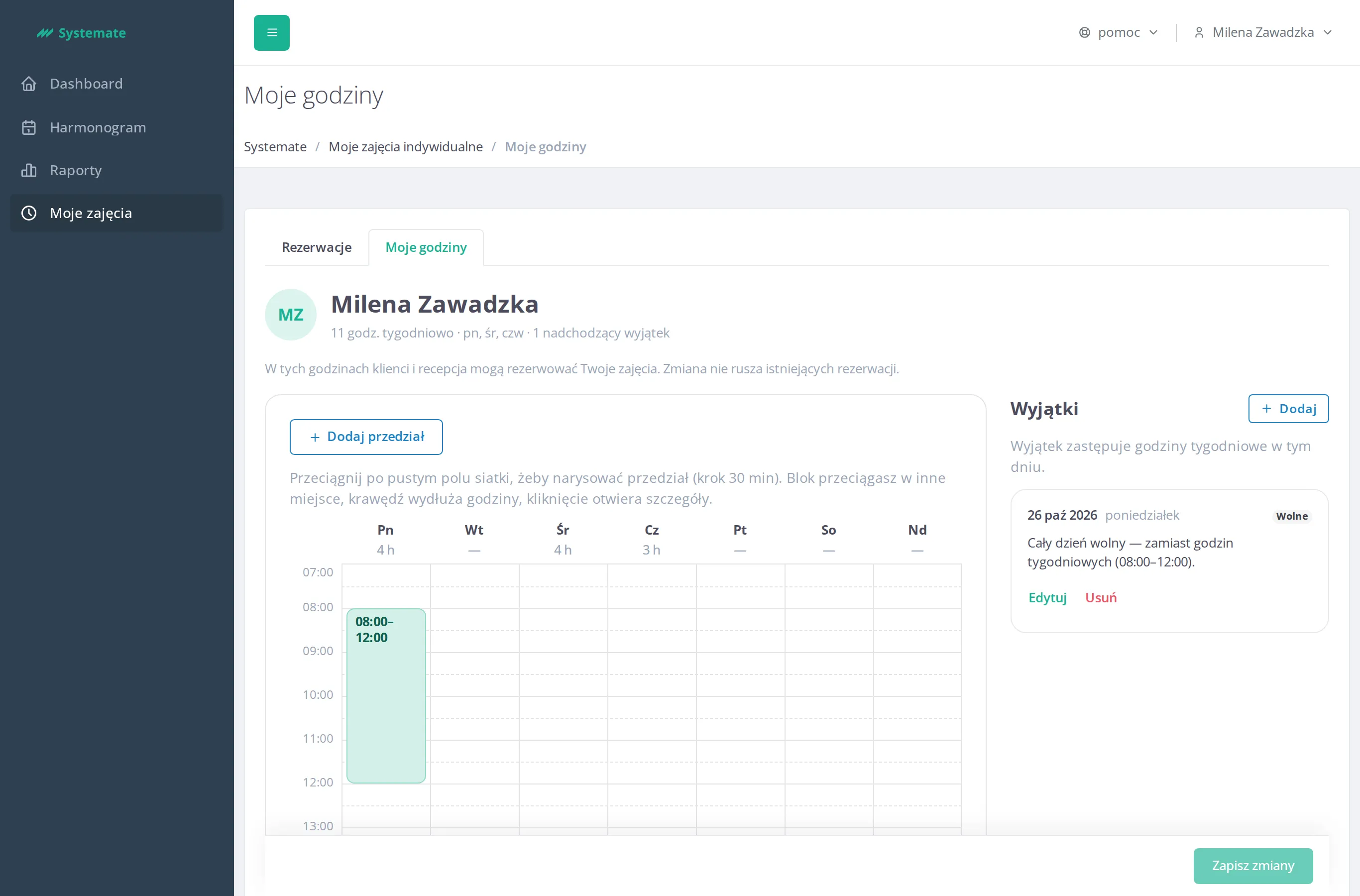
Section titled “5. She sets her hours”On the Moje godziny (My hours) tab Milena sees her weekly hours and exceptions. She adds a day off on 26 October and saves with Zapisz zmiany (Save changes). From now on neither customers nor the front desk can book her on that day; existing reservations stay as they are.
Step by step: Run your private lessons.
Result: Milena decides on her reservations and hours herself, and the front desk no longer has to pass every customer request on to her.